If you are comparing the best virtual staging companies, you are usually balancing three things at once: image realism, turnaround speed, and total cost per listing. This guide gives you a practical, feature-by-feature comparison so you can pick a provider based on workflow fit—not just brand familiarity.
For most agents and teams, the right choice is the provider that keeps listing timelines short, supports consistent output across rooms, and does not force expensive revision cycles.


Create a photo of the same bedroom, virtually staged in a Coastal style. Include a light wood bed frame against the wall on the left, white and blue bedding, a jute rug under, and nautical-themed decor. A chair against the corner to the right. Some paintings on the wall, and a 1-2 green plants around the room, and a ceiling light in the middle of the room
Quick comparison matrix
| Company | Core Model | Typical Cost Range | Typical Turnaround | Best Fit |
|---|---|---|---|---|
| StagerGo | AI-first platform with workflow tools | $0.10-$0.30/image (usage-based equivalent) | 30-60 sec | High-volume teams, fast listing cycles |
| BoxBrownie | Human-designer service | $24-$48/image | 24-48 hrs | Luxury listings, high-touch edits |
| PhotoUp | Human-editing service bundle | $30-$45/image | 12-24 hrs | Teams outsourcing multiple photo edits |
| Apply Design | DIY virtual staging editor | around $0.20/image equivalent | 2-5 min + manual setup | Users wanting manual placement control |
| Virtual Staging AI | AI staging app | low-cost AI tier | ~1 min | Budget-first users testing AI options |
Pricing and turnaround can change by plan, rush options, and image complexity. Always verify against current provider pricing pages.
How to evaluate virtual staging companies (decision criteria)
1) Cost model clarity
Some providers appear affordable until revision fees, rush fees, or add-on edits are included. Compare full-listing cost, not only sticker price per image.
2) Turnaround reliability
If your team lists properties on tight timelines, hours vs. minutes changes your operational pace. Fast iteration can be more valuable than marginal quality differences.
3) Feature completeness
Ask whether you get staging only, or a broader workflow (enhancement, item cleanup, style retries, repeatable templates).
4) Consistency at volume
If you stage multiple rooms per listing, consistency matters more than one perfect hero shot. Template-like repeatability reduces review time.
5) Revision friction
With human services, revision loops can add one to two extra days. AI-first workflows make style testing and retries much faster.
Feature-by-feature breakdown
1) StagerGo
Where it is strongest
- Very fast generation cycles for listing prep
- Low unit economics for multi-room workflows
- Works well when teams need repeatable style output
Trade-offs
- AI-first output may still require selection/regeneration to match a specific taste direction
- Premium fully bespoke manual styling is not its primary model
Best for
- Agents handling multiple active listings
- Teams optimizing for speed + consistency + budget control
2) BoxBrownie
Where it is strongest
- High-touch manual editing quality
- Good fit for luxury presentation where handcrafted control matters
Trade-offs
- Higher per-image cost
- Slower revision cadence for fast-moving listing cycles
Best for
- Boutique luxury teams
- Properties where premium manual polish is worth the added time/cost
3) PhotoUp
Where it is strongest
- Broader outsourced editing menu beyond staging
- Useful when one vendor handles multiple image production tasks
Trade-offs
- Staging costs can stack quickly at volume
- Not optimized for near-instant iterative style testing
Best for
- Teams centralizing outsourced photo operations under one provider
4) Apply Design
Where it is strongest
- User-level control over furniture placement
- Good option for users who want to manually arrange scenes
Trade-offs
- Manual effort/time per room
- Quality consistency depends on user skill and workflow discipline
Best for
- Designers or users preferring hands-on control over automation
5) Virtual Staging AI
Where it is strongest
- Low-entry pricing model
- Fast AI turnaround for baseline staging needs
Trade-offs
- Feature depth and workflow tooling may be narrower than full platforms
- Output consistency can vary depending on use case
Best for
- Cost-sensitive users who prioritize simple AI staging first
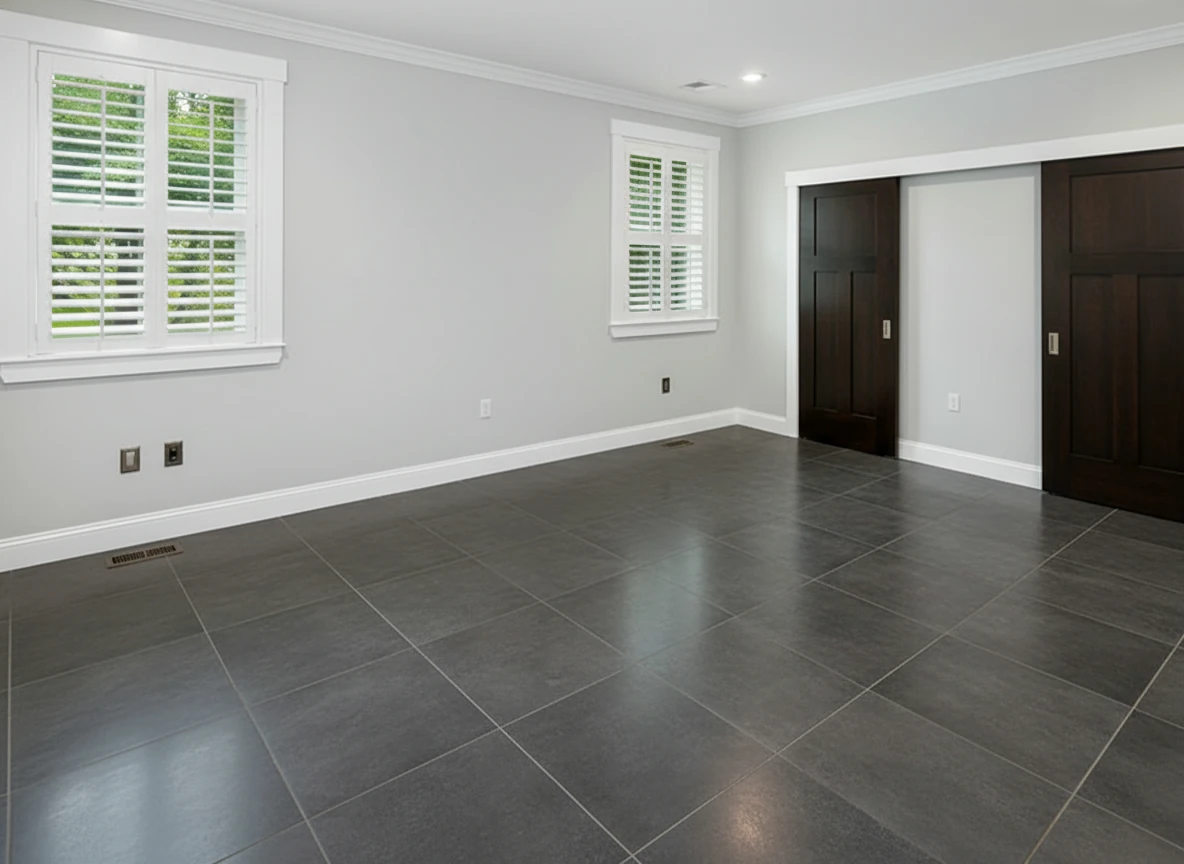
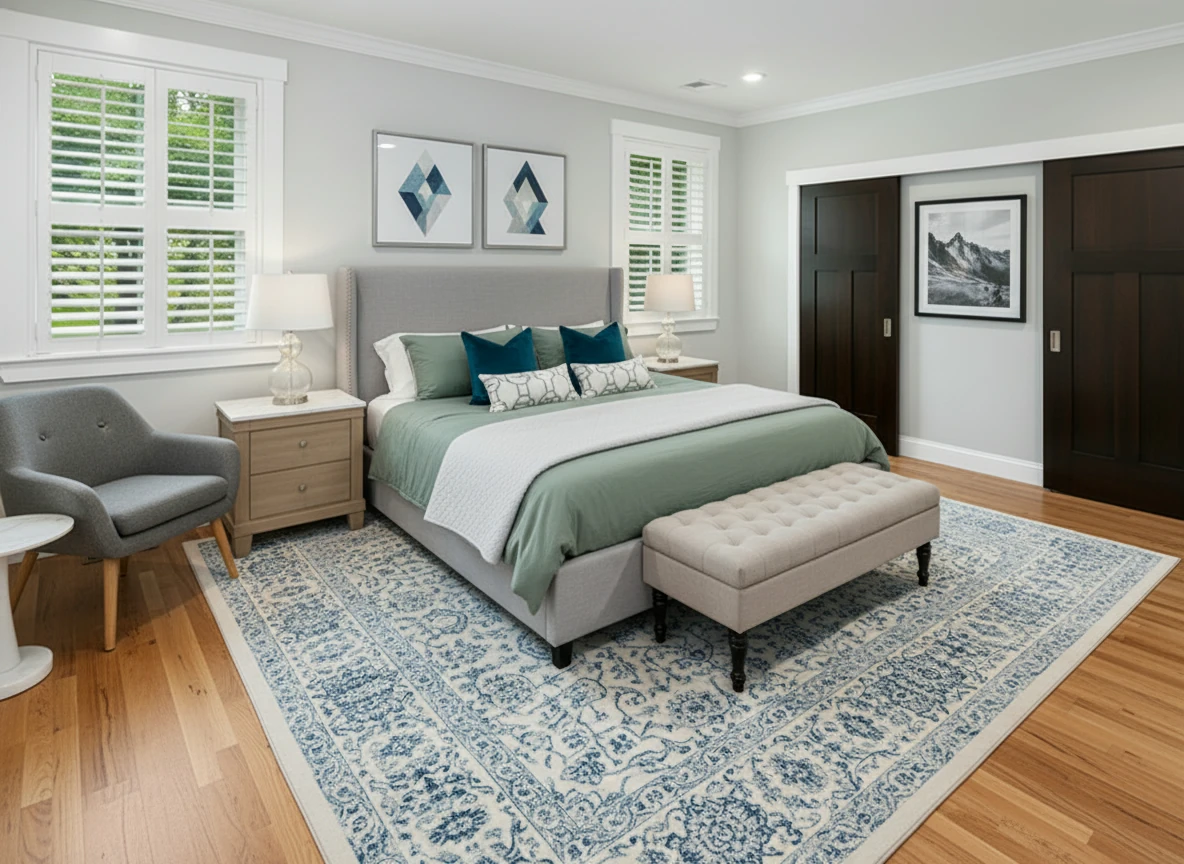
Furnish the bedroom with a soft gray upholstered bed centered on a patterned blue-and-white rug, dressed in sage bedding, two dark teal accent pillows, and geometric white bolster pillows. Add matching light oak nightstands with white tops and glass-base lamps on each side. Place a tufted beige bench at the foot of the bed. Include a gray lounge chair with wooden legs and a white round side table in the left corner. Hang two geometric art prints above the headboard and one black-and-white mountain print on the right wall. Keep light gray walls, white trim, and natural wood flooring for a bright, calm atmosphere.
Which provider should you choose?
If your priority is lowest operational cost at scale
Choose an AI-first workflow with fast iteration and consistent style output. This is usually the most practical model for recurring listing volume.
If your priority is premium manual polish for high-value properties
A designer-led service can be worth the extra cost and slower cycle time.
If your priority is hands-on design control
A DIY editor can work well if your team has time and layout/design fluency.
Recommended workflow by listing type
| Listing context | Recommended path |
|---|---|
| Standard residential, frequent listings | AI-first staging workflow with rapid retries |
| Luxury listing with custom art direction | Human-designer or hybrid approach |
| Mixed inventory portfolio | AI-first baseline + selective premium manual upgrades |
CTA: test quality with your own photos
The fastest way to choose a provider is to run the same two or three room photos through your shortlisted options and compare realism, speed, and revision effort side-by-side.
If you want a quick benchmark, start with StagerGo and compare against your current provider using the same input images.
FAQ
What is the best virtual staging company for most agents?
For most teams managing recurring listing volume, an AI-first platform with fast turnaround and lower per-image cost is the most practical choice.
Are human-designer services still worth it?
Yes—especially for luxury properties, bespoke styling requirements, and marketing collateral where handcrafted polish justifies added cost.
How many providers should I test before deciding?
Usually 2-3 is enough. Use the same room photos for fair comparison, and evaluate full workflow time (including revisions), not just first output quality.
What features matter most in a virtual staging software comparison?
Cost model transparency, turnaround consistency, revision speed, output realism, and support for repeatable multi-room workflows.