Article Summary
Virtual staging pricing has shifted dramatically in 2026. While traditional manual design firms still charge $30-$50 per image, modern AI platforms now offer subscription packages that bring the cost down to under $1.00 per image. This guide breaks down the three main pricing models: Pay-Per-Image (best for occasional users), Monthly Subscriptions (best for active agents), and Enterprise/Bulk Packages (best for teams). We analyze the hidden costs (revisions, rush fees) and help you calculate the true ROI for your business.
Virtual Staging Packages & Pricing Options
Choosing the right virtual staging package depends entirely on your listing volume. Paying per image is fine for one listing a year, but active agents are overpaying by 500% if they aren't on a subscription package.
1. Pay-Per-Image Model (Standard)
This is the traditional model used by manual design firms and some AI tools. You pay a flat fee for every photo you upload. It works like buying a coffee: you pay, you get your product, transaction over.
- Average Cost: $25 - $40 per image (Manual) / $15 - $20 (Hybrid)
- Best For: Agents who list 1-2 homes per year or need a specific one-off luxury edit.
- Pros: No commitment, simple to understand, cost is tied directly to a specific listing budget.
- Cons: Most expensive option long-term. Often includes hidden fees for "rush" delivery or "complex" rooms.
- Example: Staging a 5-room home costs ~$150-$200.
Example Providers: BoxBrownie ($32), PhotoUp ($30).
2. Credit Packs (Pre-Paid)
You buy a bundle of credits upfront. The credits usually don't expire, or last for a year. This offers a volume discount over pay-per-image without a monthly commitment.
- Average Cost: $5 - $10 per image (depending on pack size).
- Best For: Agents with irregular volume (e.g., busy spring season, quiet winter).
- Pros: Lower cost than single images. Flexible usage.
- Cons: Large upfront cost ($100-$500). If you forget to use them, you lose money.
3. Monthly Subscription Packages (Best Value)
The modern standard for AI staging. You pay a flat monthly fee for a set number of images or "generations." This offers the lowest cost per image.
- Average Cost: $29 - $99 per month.
- Effective Cost: $0.50 - $2.00 per image.
- Best For: Agents with 1+ listings per month, Teams, Brokerages.
- Pros: Lowest cost. Predictable billing. Usually includes "Pro" features like image enhancement.
- Cons: Monthly commitment (though most can be cancelled anytime).
StagerGo Pricing Packages
StagerGo uses a subscription model designed to give agents maximum value and flexibility. We don't believe in locking features behind higher tiers—everyone gets our best AI.
The "Starter" Package
Perfect for: New agents or part-time realtors listing roughly 1 home a month.
- Price: ~$29/month
- Includes: Approx. 40 generations (enough for 2-3 listings).
- Features: All room types, all styles, unlimited re-generations.
- Cost per Listing: ~$10 (vs. $200+ for manual staging).
The "Pro" Package (Most Popular)
Perfect for: Active agents and small teams listing 2-4 homes a month.
- Price: ~$49/month
- Includes: Approx. 100 generations (enough for 5-8 listings).
- Features: Priority processing, high-resolution downloads, object removal tool included.
- Cost per Listing: ~$6.
The "Agency" Package
Perfect for: Brokerages, photography companies, and top-producing teams.
- Price: ~$99/month
- Includes: Approx. 300 generations.
- Features: Multi-user support, API access (optional), dedicated support.
- Cost per Listing: ~$3.
Hidden Costs to Watch Out For
When comparing packages from different providers, look for these "gotchas":
- Revision Fees: Many manual services charge $10-15 if you want to move a couch or change a rug color. StagerGo includes unlimited free revisions.
- Rush Fees: Manual services charge +50% for 12-hour delivery. AI services are instant at no extra cost.
- Storage Fees: Some platforms delete your photos after 30 days unless you pay extra. StagerGo keeps your projects saved.
- Feature Unlocking: Some charge extra for "commercial use" or "high resolution."
- Watermark Removal: Free tiers almost always include watermarks; ensure the paid package explicitly removes them.
ROI Calculation: Package vs. Pay-Per-Image
Let's assume you list 2 homes per month (16 photos total to stage).
Option A: Manual Pay-Per-Image
- 16 photos x $32 = $512 per month
- Wait time: 48 hours per listing.
- Total Annual Cost: $6,144
Option B: StagerGo Pro Package
- Flat fee: $49 per month
- Wait time: 10 minutes per listing.
- Total Annual Cost: $588
Savings: $463 per month ($5,556 per year). That's enough to pay for your other marketing expenses or a nice vacation.
Which Package is Right for You?
"I'm a New Agent"
Start with the Starter Package ($29/mo) or use the Free Trial. Don't commit to a large expense until you have consistent listings. The ROI on one sale will pay for 5 years of this subscription.
"I'm a Team Leader"
The Pro Package ($49/mo) is usually sufficient for teams of 2-3. If you have a larger team, the Agency Package ($99/mo) allows you to centralize billing and ensure brand consistency across all your team's listings.
"I'm a Real Estate Photographer"
The Agency Package allows you to upsell virtual staging to your clients. You pay ~$0.33 per image and can charge your clients $15-$30 per image, creating a massive new revenue stream with almost zero labor.
Conclusion
If you are serious about marketing your listings, a subscription package is the only logical financial choice. The cost of one month's subscription is often less than the cost of two manually staged photos.
Detailed Package Comparison: All Major Providers
To help you make an informed decision, we've compiled a comprehensive comparison of virtual staging packages across the industry:
AI-Powered Subscription Packages
| Provider | Entry Plan | Mid-Tier Plan | Premium Plan | Best For |
|---|---|---|---|---|
| StagerGo | $29/mo (40 images) | $49/mo (100 images) | $99/mo (300 images) | Active agents, teams |
| Virtual Staging AI | $39/mo (50 images) | $79/mo (150 images) | $149/mo (unlimited) | High-volume agents |
| Apply Design | N/A (Pay-per-image only) | N/A | N/A | DIY enthusiasts |
| Rooomy | $49/mo (30 images) | $99/mo (100 images) | Custom pricing | Enterprise clients |
Manual Service Packages
| Provider | Pay-Per-Image | Bulk Discount | Rush Fee | Revisions |
|---|---|---|---|---|
| BoxBrownie | $32/image | 10% off 20+ | +$10/image | 1 free, then $6 each |
| PhotoUp | $30/image | 15% off 50+ | +$15/image | 1 free, then $8 each |
| Styldod | $24/image | 20% off 100+ | +$12/image | 1 free, then $10 each |
| Virtual Staging Solutions | $39/image | Custom quotes | +$20/image | 2 free, then $15 each |
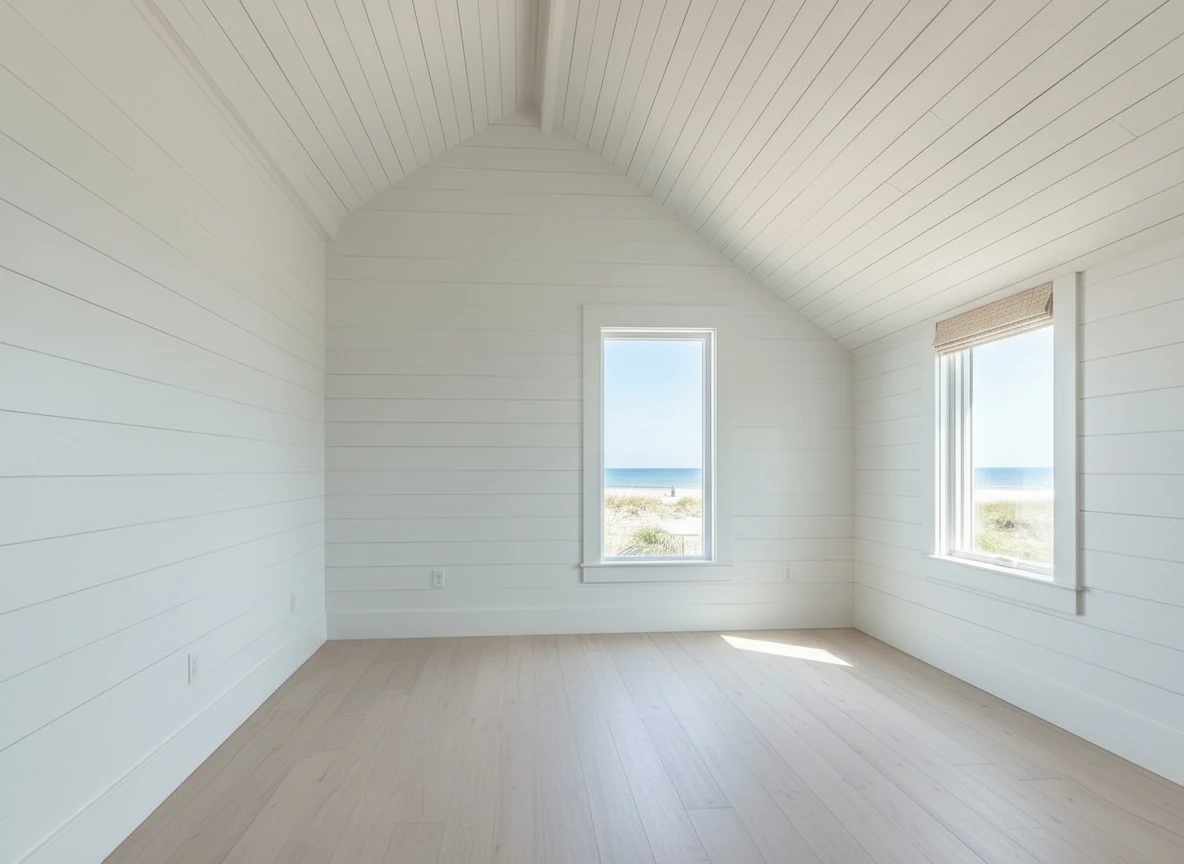

Create a photo of the same bedroom, virtually staged in a Coastal style. Include a light wood bed frame against the wall on the left, white and blue bedding, a jute rug under, and nautical-themed decor. A chair against the corner to the right. Some paintings on the wall, and a 1-2 green plants around the room, and a ceiling light in the middle of the room
Understanding Package Inclusions
Not all packages are created equal. Here's what to look for in the fine print:
Core Features (Should Be Standard)
✅ Unlimited Regenerations
- What It Means: If you don't like the first result, you can try again at no extra cost
- Who Offers It: StagerGo, Virtual Staging AI (AI platforms)
- Who Doesn't: BoxBrownie, PhotoUp (manual services charge for revisions)
✅ High-Resolution Downloads
- What It Means: Images suitable for print and large displays (2000x1500px minimum)
- Who Offers It: All major providers
- Watch Out: Some budget AI tools limit resolution on lower tiers
✅ Commercial Use License
- What It Means: You can use images for MLS, marketing, and client presentations
- Who Offers It: All providers (but check TOS)
- Watch Out: Some free trials restrict commercial use
Premium Features (Worth Paying For)
🌟 Object Removal
- What It Means: AI removes unwanted items (furniture, clutter) before staging
- Who Includes It: StagerGo (all plans), PhotoUp (add-on $5/image)
- Value: Saves $5-10 per image vs. buying separately
🌟 Image Enhancement
- What It Means: Automatic brightness/color correction
- Who Includes It: StagerGo (all plans), BoxBrownie (add-on $5/image)
- Value: Saves $5-8 per image
🌟 Day-to-Dusk Conversion
- What It Means: Converts daytime exterior photos to twilight shots
- Who Includes It: StagerGo (all plans), BoxBrownie (add-on $4/image)
- Value: Saves $4-6 per image
🌟 Template Composer
- What It Means: Locks in furniture style across all rooms for consistency
- Who Offers It: StagerGo (exclusive feature)
- Value: Priceless for professional presentation
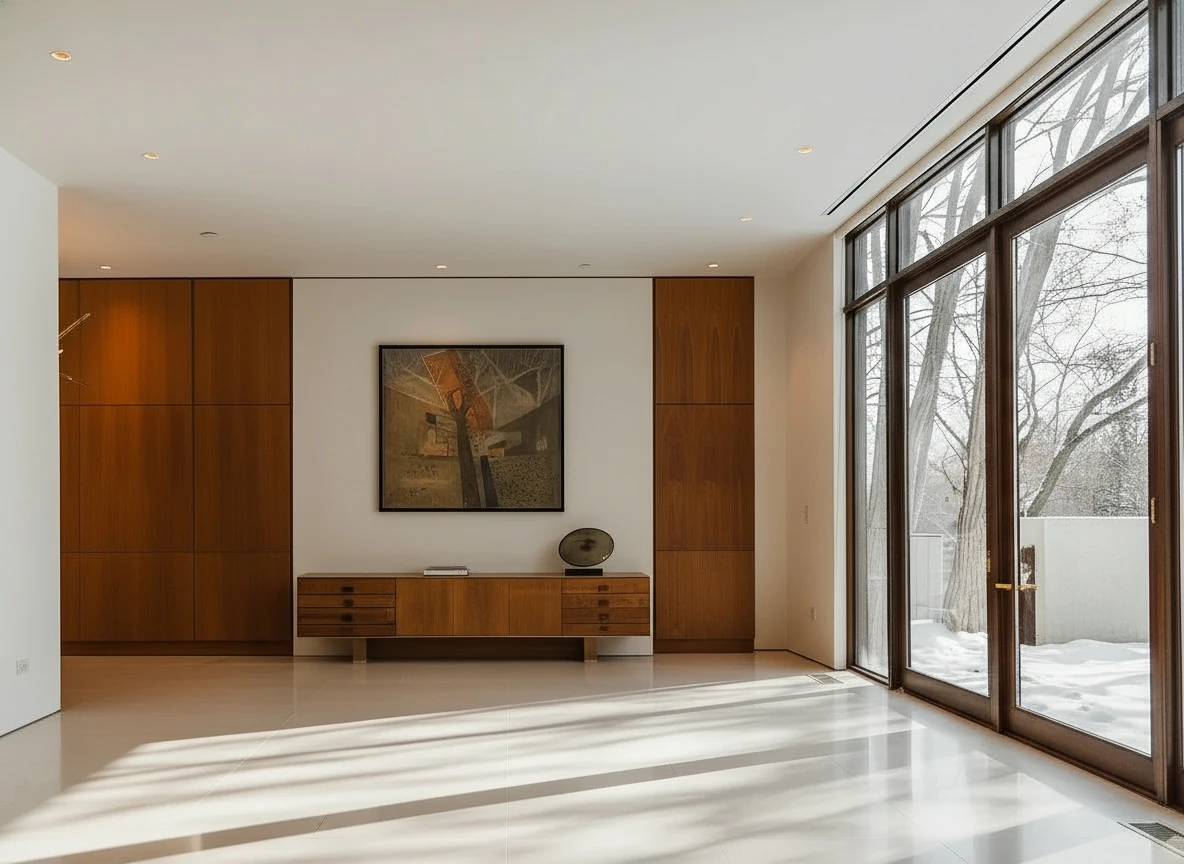
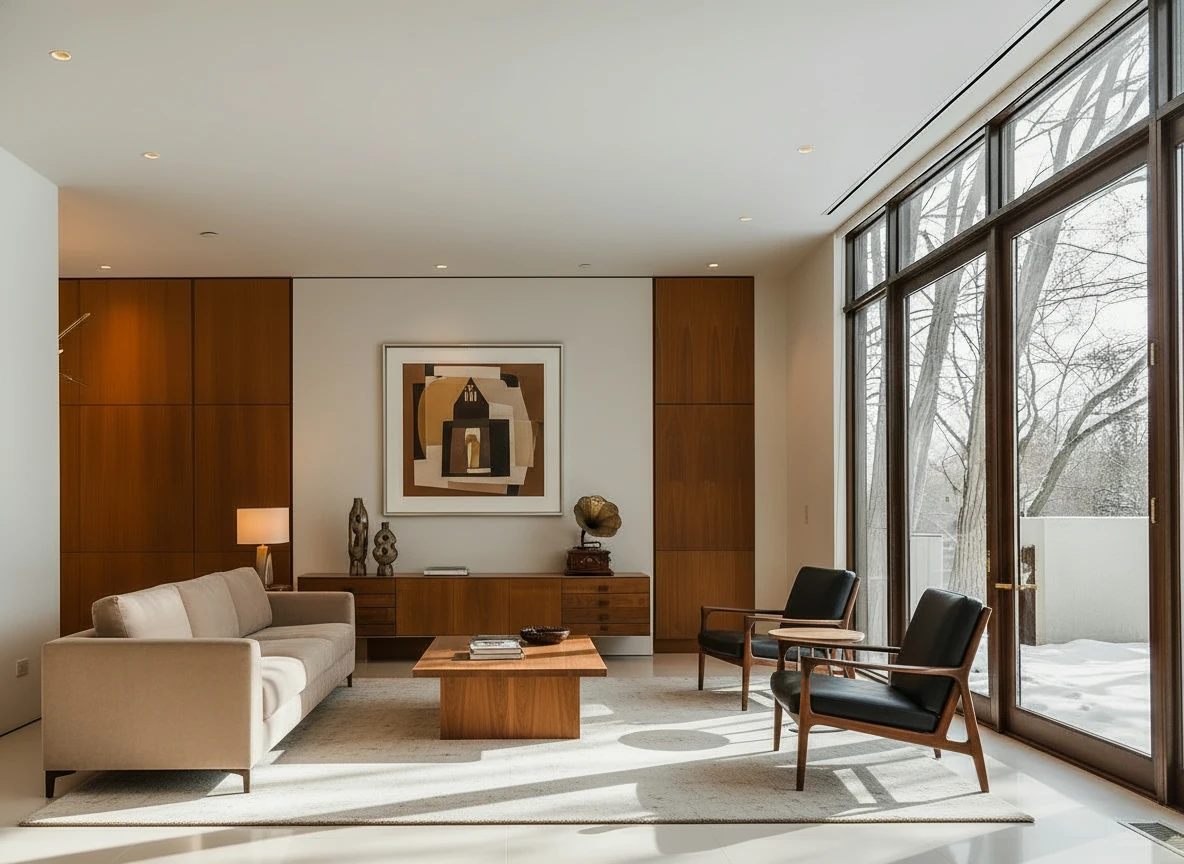
Furnish the room with a long beige sofa on the left facing a rectangular walnut coffee table (1.6m × 0.8m) centered on a light cream rug. Add two black leather lounge chairs with wooden frames opposite the sofa, one angled toward the windows. Behind, place a low walnut sideboard spanning the width between two tall built-in wood panels, decorated with sculptural vases and a gramophone. Mount a large abstract artwork above the sideboard. Finish with a warm table lamp on the side table near the sofa, soft downlights, and full-height glass doors along the right wall. Make sure the placement of furnitures are reasonable based on the room layout
Annual Cost Analysis by Agent Type
Let's calculate the true annual cost for different agent profiles:
New Agent (5 Listings/Year, 40 Images Total)
Pay-Per-Image (BoxBrownie):
- 40 images × $32 = $1,280/year
- Cost per listing: $256
Credit Pack (Apply Design):
- 50 credits × $8 = $400/year
- Cost per listing: $80
Subscription (StagerGo Starter):
- $29/month × 12 = $348/year
- Cost per listing: $70
Winner: StagerGo Starter saves $932/year vs. BoxBrownie
Active Agent (20 Listings/Year, 160 Images Total)
Pay-Per-Image (BoxBrownie):
- 160 images × $32 = $5,120/year
- Cost per listing: $256
Credit Pack (Apply Design):
- 200 credits × $8 = $1,600/year
- Cost per listing: $80
Subscription (StagerGo Pro):
- $49/month × 12 = $588/year
- Cost per listing: $29
Winner: StagerGo Pro saves $4,532/year vs. BoxBrownie
Top Producer (50 Listings/Year, 400 Images Total)
Pay-Per-Image (BoxBrownie):
- 400 images × $32 = $12,800/year
- Cost per listing: $256
Credit Pack (Apply Design):
- 500 credits × $8 = $4,000/year
- Cost per listing: $80
Subscription (StagerGo Agency):
- $99/month × 12 = $1,188/year
- Cost per listing: $24
Winner: StagerGo Agency saves $11,612/year vs. BoxBrownie
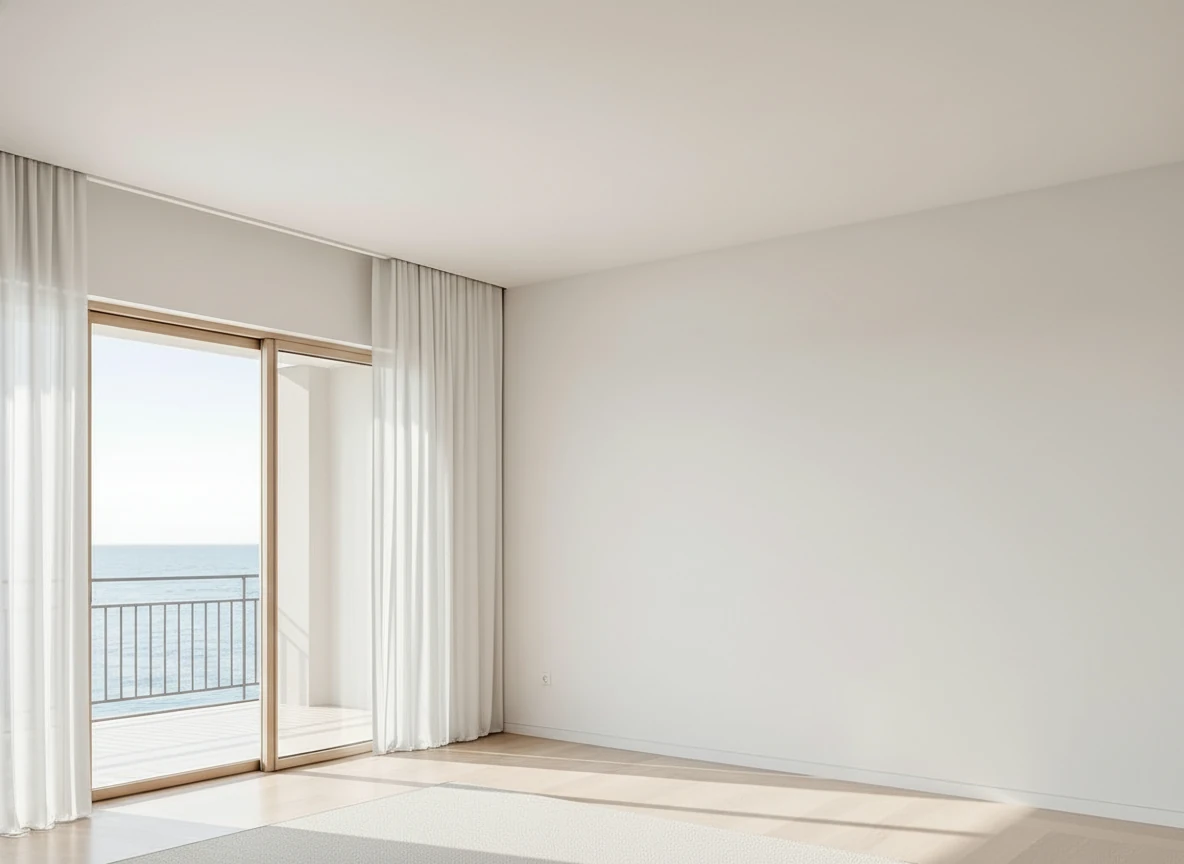
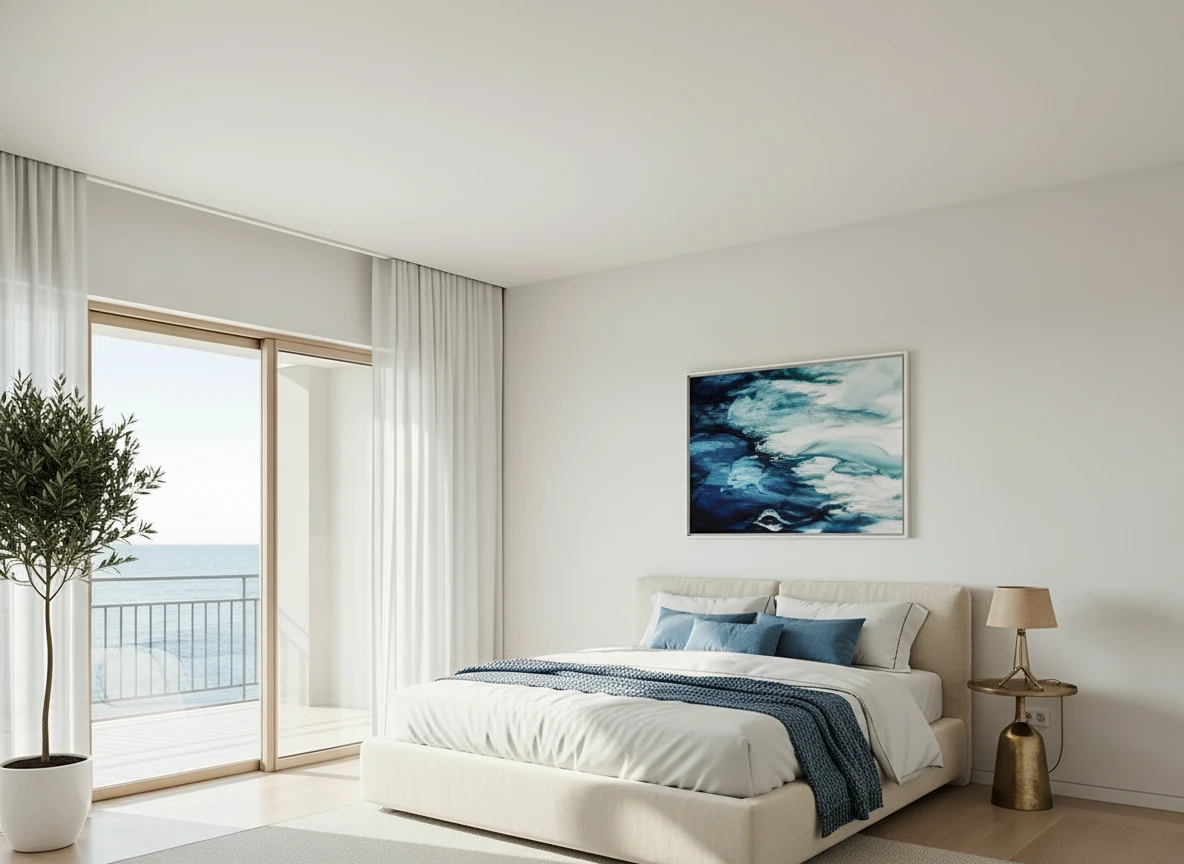
Furnish the serene bedroom with a low-profile cream platform bed centered on a large textured beige rug. Dress the bed in white linens with a soft blue throw and matching accent pillows for contrast. Place a tall potted olive tree in a white planter beside the sliding glass doors, and a small brass bedside lamp on the right. Hang a framed ocean-themed artwork above the bed to echo the seaside view. Keep floor-to-ceiling white curtains along the balcony doors, light wood flooring, and minimal decor to maintain an airy, coastal feel.
Package Selection Decision Tree
Not sure which package to choose? Follow this decision tree:
Step 1: Calculate Your Monthly Volume
How many listings do you close per month?
- 0-1 listings → 8-12 images/month
- 2-3 listings → 16-24 images/month
- 4-5 listings → 32-40 images/month
- 6+ listings → 48+ images/month
Step 2: Determine Your Budget Sensitivity
How important is cost savings?
- Very Important: AI subscription (StagerGo)
- Somewhat Important: Hybrid approach (AI for standard, manual for luxury)
- Not Important: Manual service (BoxBrownie)
Step 3: Consider Your Turnaround Needs
How quickly do you need staged photos?
- Same Day: AI only (StagerGo, Virtual Staging AI)
- 1-2 Days: Manual rush service (BoxBrownie +$10/image)
- 3-5 Days: Standard manual service
Step 4: Evaluate Your Tech Comfort
How comfortable are you with technology?
- Very Comfortable: Any platform works
- Somewhat Comfortable: AI platforms (simple interface)
- Not Comfortable: Full-service manual (BoxBrownie, PhotoUp)
Decision Matrix
| Volume | Budget | Speed | Tech Level | Recommendation |
|---|---|---|---|---|
| Low | Tight | Fast | Any | StagerGo Starter |
| Medium | Tight | Fast | Any | StagerGo Pro |
| High | Tight | Fast | Any | StagerGo Agency |
| Low | Flexible | Slow OK | Low | BoxBrownie Pay-Per-Image |
| Medium | Flexible | Slow OK | Low | PhotoUp Subscription |
| High | Flexible | Fast | High | StagerGo Agency + BoxBrownie for luxury |
Hidden Value: What Subscriptions Really Include
Beyond the obvious (staged images), subscription packages often include hidden value that justifies the cost:
1. Unlimited Experimentation
Value: $500-1,000/year
With AI subscriptions, you can generate 5+ style variations per room at no extra cost. This allows you to:
- Test modern vs. traditional styles
- Show sellers multiple options
- Pivot if a listing isn't getting traction
Manual Services: Each variation costs $30+, making experimentation prohibitively expensive.
2. Instant Revisions
Value: $300-600/year
If you don't like a result, regenerate instantly. No waiting, no revision fees.
Manual Services: Revisions cost $6-15 each and take 24 hours.
3. Bundled Tools
Value: $200-400/year
StagerGo includes object removal, enhancement, and day-to-dusk in the subscription.
Manual Services: Each tool costs $4-10 per image as an add-on.
4. Priority Support
Value: Priceless
Higher-tier subscriptions often include dedicated support, faster response times, and account managers.
Manual Services: Support is standard regardless of volume.
Total Hidden Value: $1,000-2,000/year for active agents
Bulk Discounts & Enterprise Pricing
For brokerages, photography companies, and high-volume teams, custom enterprise packages offer additional savings:
StagerGo Enterprise
Who It's For: Teams of 10+ agents, photography businesses, brokerages
Pricing: Custom (typically $299-499/month)
Includes:
- Unlimited staging for entire team
- White-label options (your branding)
- API access for workflow integration
- Dedicated account manager
- Custom AI model training (for brand consistency)
- Priority processing queue
ROI Example:
- 10-agent team stages 200 images/month
- Manual cost: 200 × $32 = $6,400/month
- Enterprise cost: $399/month
- Savings: $6,001/month ($72,012/year)
BoxBrownie Enterprise
Who It's For: Large brokerages preferring manual quality
Pricing: Custom (typically $2,000-5,000/month)
Includes:
- Volume discounts (20-30% off per-image pricing)
- Dedicated design team
- Rush processing included
- Account manager
Best For: Luxury-focused brokerages where quality trumps cost
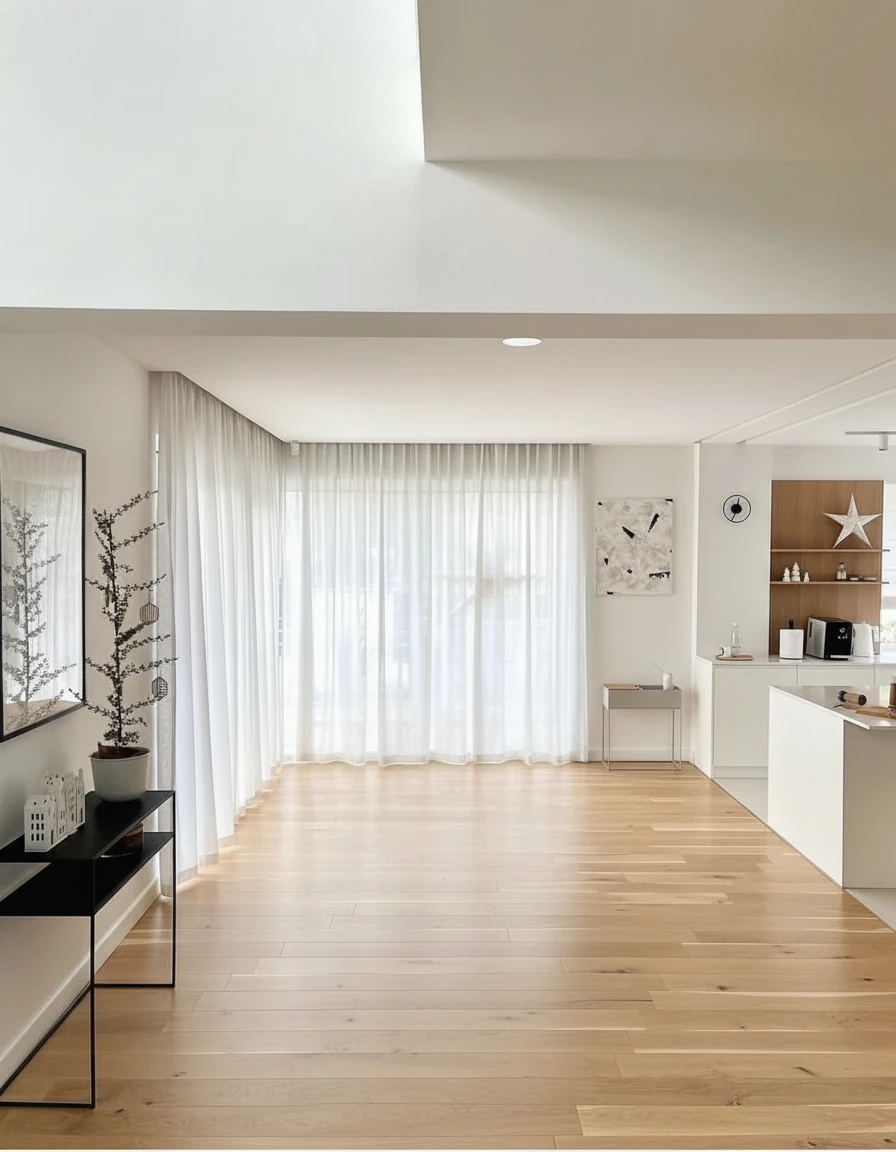
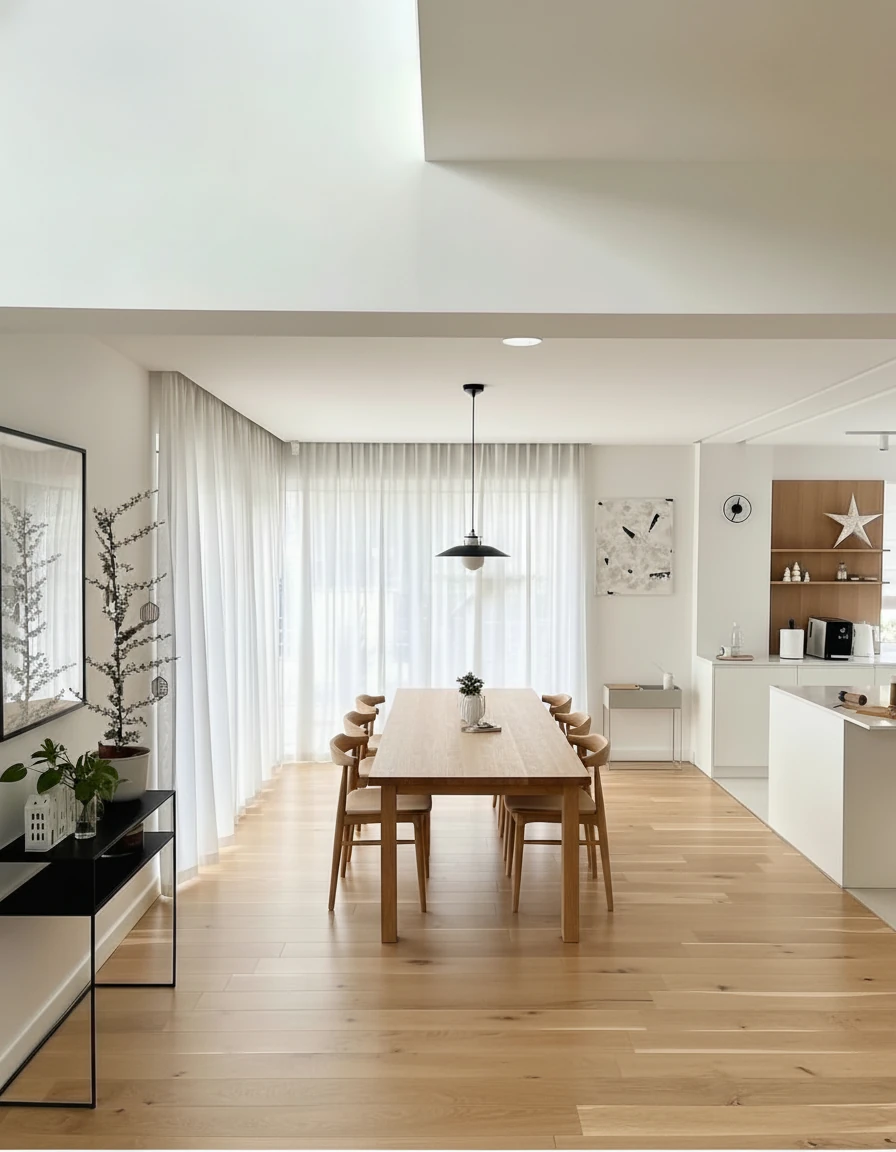
Furnish the dining area with a long natural oak dining table (3m × 1m) centered on the wooden floor, surrounded by eight matching curved-back oak chairs. Above the table, install a pair of minimalist black-and-white pendant lights aligned along the centerline. Add sheer white curtains across the full window wall for soft daylight diffusion. Place a slim black console with potted plants and small decor on the left wall, and keep the adjoining kitchen open with white cabinetry and oak shelving for a warm, cohesive look.
Package Add-Ons & Upgrades
Most providers offer add-ons to enhance your package. Here's what's worth buying:
Worth It:
✅ Additional User Seats ($10-20/month)
- Value: Team members can access the same account
- Best For: Teams of 2-5 agents
✅ API Access ($50-100/month)
- Value: Automate staging requests from your CRM or website
- Best For: Tech-savvy brokerages with custom workflows
✅ Priority Processing ($20-50/month)
- Value: Jump to front of queue during busy times
- Best For: Agents in competitive markets
Skip It:
❌ Extended Storage ($10/month)
- Why: Most platforms already store images for 90+ days
- Alternative: Download and save to your own Google Drive
❌ Watermark Removal (if it's an add-on)
- Why: Should be included in any paid plan
- Alternative: Choose a provider that includes it
❌ "Premium" Furniture Libraries ($15/month)
- Why: Standard libraries are usually sufficient
- Alternative: Use Template Composer to customize standard furniture
Seasonal Considerations: When to Upgrade/Downgrade
Real estate is seasonal. Here's how to optimize your package throughout the year:
Spring (March-May): Peak Season
Strategy: Upgrade to higher tier
- Why: Highest listing volume, need maximum capacity
- Recommendation: Move from Starter → Pro or Pro → Agency
Summer (June-August): Busy Season
Strategy: Maintain higher tier
- Why: Still high volume, vacation slowdowns are brief
- Recommendation: Stay at upgraded tier
Fall (September-November): Moderate Season
Strategy: Evaluate usage
- Why: Volume drops post-summer
- Recommendation: Downgrade if usage drops below 50% of plan capacity
Winter (December-February): Slow Season
Strategy: Downgrade or pause
- Why: Lowest listing volume
- Recommendation: Downgrade to Starter or use pay-per-image
Annual Savings: $200-400 by optimizing seasonally
Package Migration: Switching Providers
Already locked into a package with another provider? Here's how to switch:
Step 1: Calculate Your Current Cost
Formula: (Monthly fee × 12) + (Additional fees × frequency)
Example: BoxBrownie
- Base cost: $32/image × 10 images/month = $320/month
- Rush fees: $10/image × 2 images/month = $20/month
- Revision fees: $6/image × 1 image/month = $6/month
- Total: $346/month ($4,152/year)
Step 2: Compare to Alternative
StagerGo Pro: $49/month ($588/year)
Savings: $3,564/year
Step 3: Test Before Committing
Action: Use free trial to compare quality
What to Test:
- Upload same photos to both platforms
- Compare realism, lighting, furniture scale
- Check turnaround time
- Evaluate ease of use
Step 4: Make the Switch
Timing: Switch at the end of your current billing cycle to avoid overlap
Migration Checklist:
- Download all existing staged photos
- Cancel old subscription (check cancellation policy)
- Sign up for new service
- Update your workflow/templates
- Train team on new platform
Frequently Asked Questions
Can I change packages mid-month?
Most providers allow upgrades anytime (prorated) but downgrades only at renewal.
What happens to unused credits?
Depends on provider. StagerGo rolls over unused credits for 90 days. Manual services don't use credits.
Can I pause my subscription?
Most AI platforms allow pausing for 1-3 months. Manual services don't have subscriptions to pause.
Do I get a refund if I cancel early?
Most subscriptions are non-refundable but cancel anytime. Check TOS before committing.
Can I share my account with my team?
Depends on package. Agency/Enterprise plans include multi-user access. Lower tiers may restrict sharing.
What if I go over my monthly limit?
Most providers allow overage at a per-image rate (typically $1-2/image) or auto-upgrade you to the next tier.
Package Optimization Tips
Maximize the value of your package with these strategies:
1. Batch Your Staging
Strategy: Stage all photos for a listing at once rather than one room at a time
Benefit: Ensures style consistency, saves time
2. Use Templates
Strategy: Create saved templates for common room types (living room, master bedroom)
Benefit: Speeds up workflow, maintains brand consistency
3. Stage Strategically
Strategy: Focus on high-impact rooms (living, master, kitchen) and skip low-impact rooms (bathrooms, closets)
Benefit: Maximize ROI, stay within package limits
4. Leverage Included Tools
Strategy: Use bundled features (object removal, enhancement) instead of paying for separate services
Benefit: Saves $10-20 per listing
5. Monitor Your Usage
Strategy: Check monthly usage reports to ensure you're on the right tier
Benefit: Avoid overpaying for unused capacity or overage fees
Conclusion
Virtual staging packages have evolved dramatically in 2026. The shift from pay-per-image to subscription models has made professional staging accessible to every agent, regardless of budget or volume.
For most agents, a mid-tier AI subscription (like StagerGo Pro at $49/month) offers the best value: unlimited experimentation, instant results, and bundled tools at a fraction of traditional costs.
Ready to find your perfect package? Start with a free trial to test quality, then choose the tier that matches your volume. You can always adjust as your business grows.
View StagerGo Packages – Find your perfect fit with our free trial.
Related Resources
- Virtual Staging Cost Guide – Detailed cost analysis
- Virtual Staging Software Comparison – Platform reviews
- Virtual Staging Tips – Maximize your results
- Before & After Gallery – See real transformations