What Is Virtual Staging?
Virtual staging is the process of digitally adding furniture, decor, and interior finishes to photographs of empty or unfurnished real estate properties. The goal is to help potential buyers visualize how a space could look when furnished, making listings more appealing and easier to understand online.
Unlike traditional physical staging—where actual furniture is moved into a property—virtual staging creates these furnished looks entirely through digital editing and AI-powered image generation, without ever bringing physical items into the space.
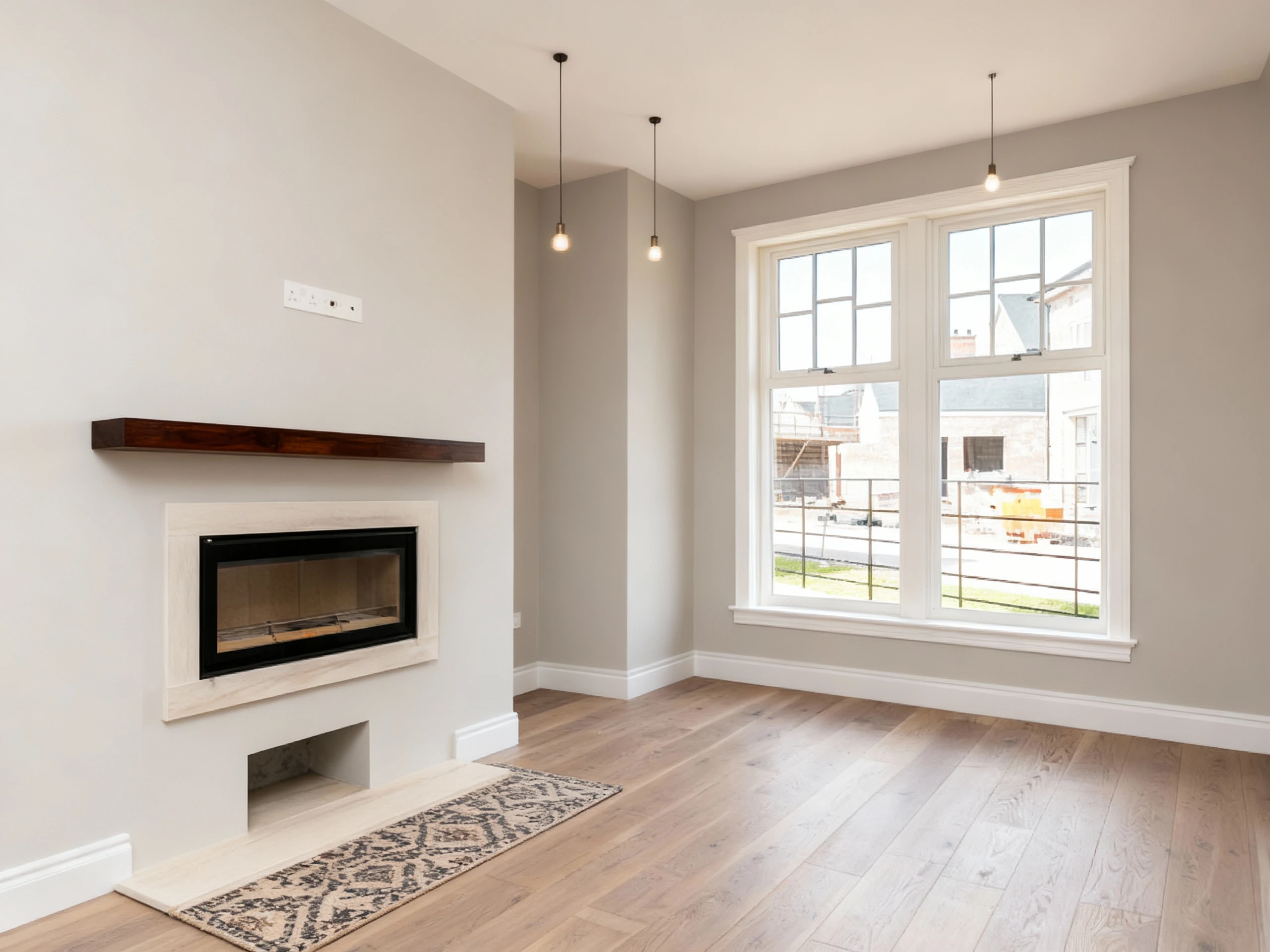
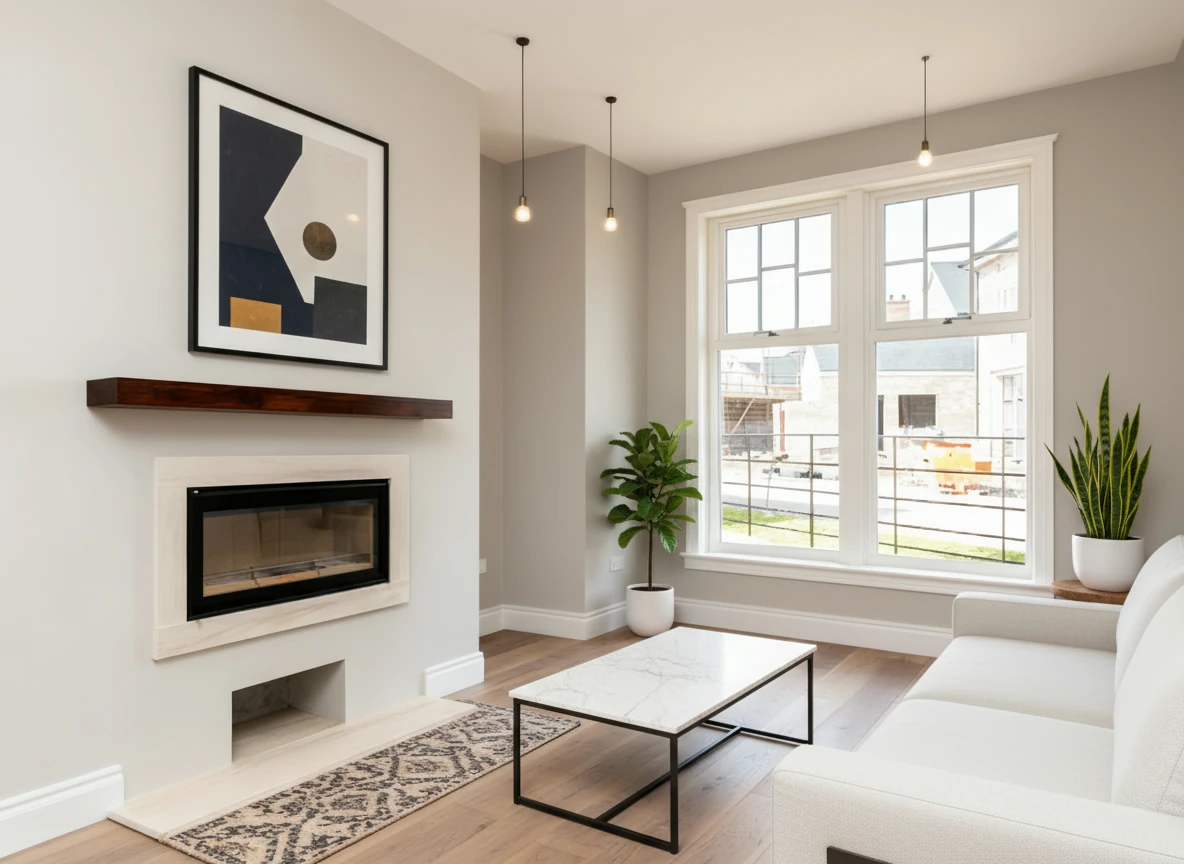
Create a photo of the same living room, virtually staged in a Modern style. Add a sleek white sofa to the right side of the photo, a minimalist coffee table in the center of the room, a large abstract art piece on the main wall, and some indoor plants.
How Virtual Staging Works (In Simple Terms)
Virtual staging typically follows this process:
- Start with an empty room photo – A photographer or agent takes a photo of a vacant or minimally furnished space
- Upload to a virtual staging platform – The photo is uploaded to a virtual staging service or software
- Select room type and style – The user specifies what type of room it is (living room, bedroom, office) and what design style they want (modern, traditional, coastal, etc.)
- AI generates furnished version – The software digitally adds appropriate furniture, rugs, artwork, plants, and accessories that match the room's dimensions and lighting
- Review and download – The user receives the staged photo, usually within minutes to hours depending on the service
The result is a photorealistic image showing how the space could look when properly furnished and decorated.
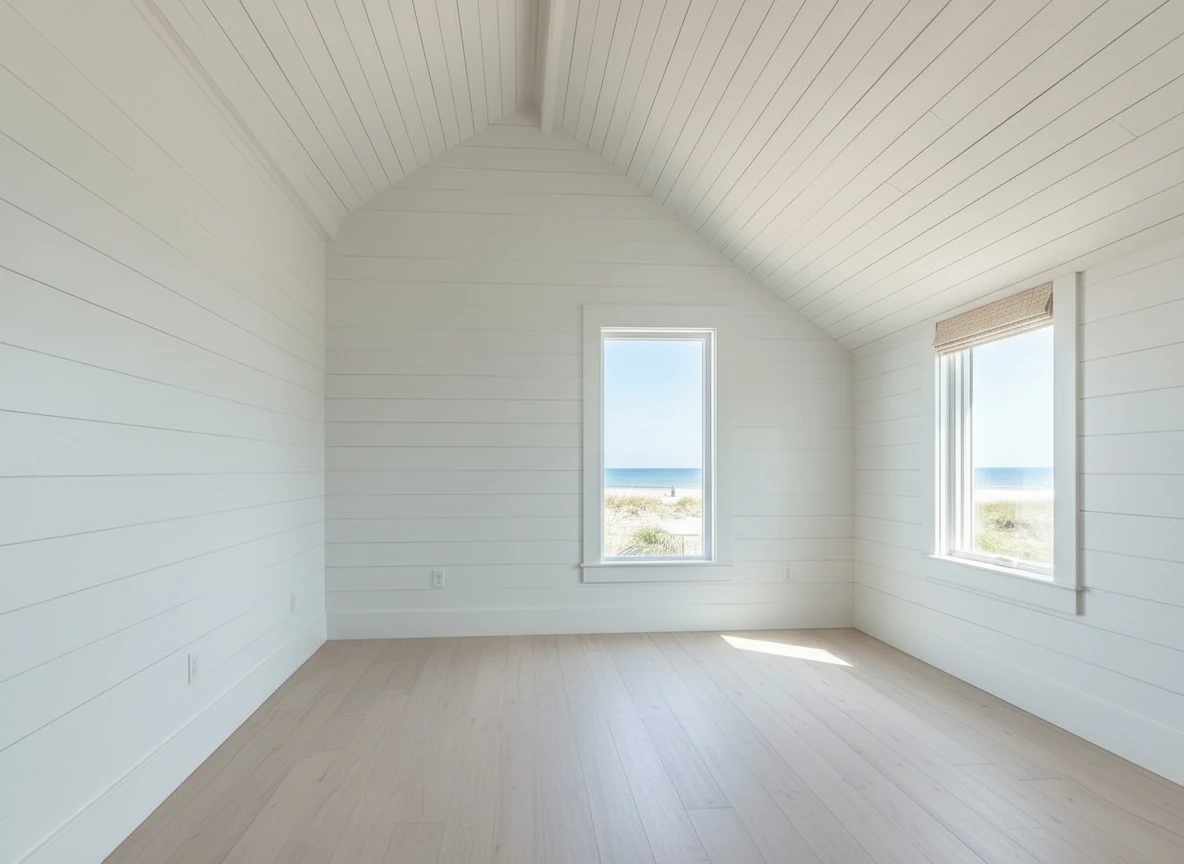

Create a photo of the same bedroom, virtually staged in a Coastal style. Include a light wood bed frame against the wall on the left, white and blue bedding, a jute rug under, and nautical-themed decor. A chair against the corner to the right. Some paintings on the wall, and a 1-2 green plants around the room, and a ceiling light in the middle of the room
Why Virtual Staging Matters for Real Estate
Virtual staging has become essential in real estate marketing for several key reasons:
1. Buyers Can't Visualize Empty Spaces
Research shows that 90% of homebuyers browse listings online before visiting properties. When they see empty rooms, many struggle to imagine the space's potential. Virtual staging solves this by showing the room in its best possible light.
2. Listings Sell Faster
Properties with staged photos (physical or virtual) sell 73% faster than unstaged listings according to the Real Estate Staging Association. Virtually staged listings help properties stand out in crowded markets.
3. Cost-Effective Alternative
Traditional physical staging costs $2,000-$5,000 per property and requires weeks of coordination. Virtual staging typically costs $1-3 per image and can be completed in minutes or hours.
4. Flexible and Reversible
Unlike physical staging, virtual staging allows you to:
- Try multiple design styles instantly
- Change furniture layouts without physical work
- Update images if market trends shift
- Stage properties that can't accommodate physical furniture
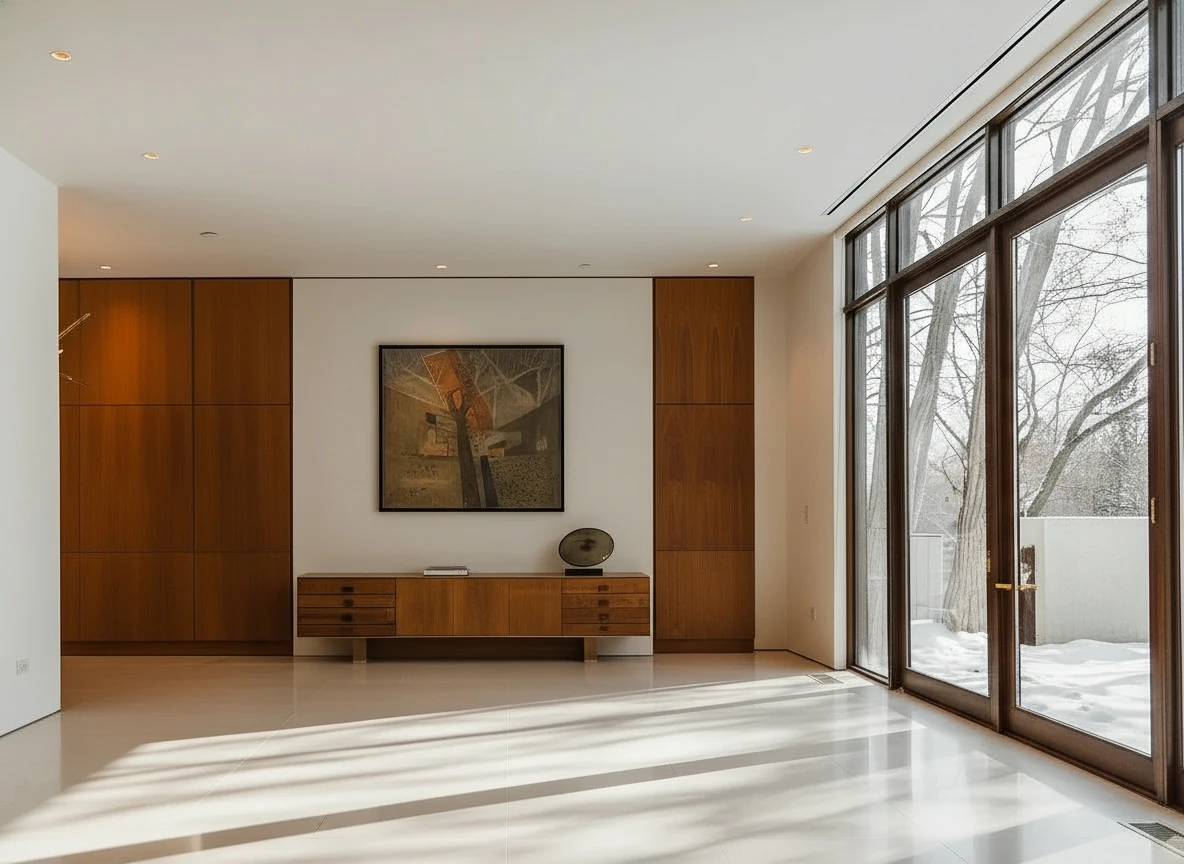
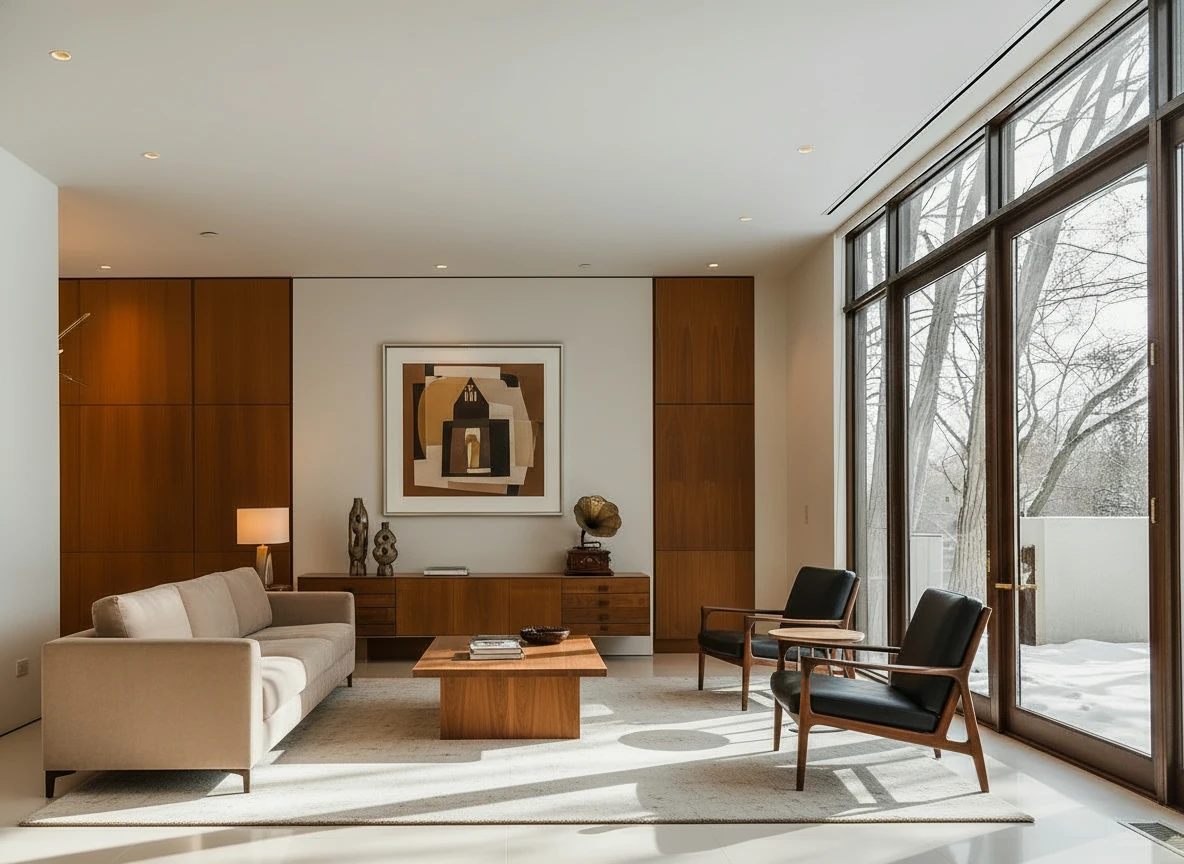
Furnish the room with a long beige sofa on the left facing a rectangular walnut coffee table (1.6m × 0.8m) centered on a light cream rug. Add two black leather lounge chairs with wooden frames opposite the sofa, one angled toward the windows. Behind, place a low walnut sideboard spanning the width between two tall built-in wood panels, decorated with sculptural vases and a gramophone. Mount a large abstract artwork above the sideboard. Finish with a warm table lamp on the side table near the sofa, soft downlights, and full-height glass doors along the right wall. Make sure the placement of furnitures are reasonable based on the room layout
Types of Virtual Staging
Virtual staging isn't limited to just adding furniture. Modern virtual staging platforms offer several related services:
1. Empty Room Staging
The most common type—adding furniture and decor to completely empty spaces.
Best for: Vacant properties, new construction, foreclosures
2. Furniture Replacement
Removing outdated furniture and replacing it with modern pieces.
Best for: Occupied properties with poor furniture choices
3. Style Transformation
Keeping the same furniture layout but changing the design style (e.g., traditional to modern).
Best for: Testing different buyer demographics
4. Virtual Renovation
More extensive changes like updating flooring, wall colors, countertops, or fixtures.
Best for: Properties that need cosmetic updates
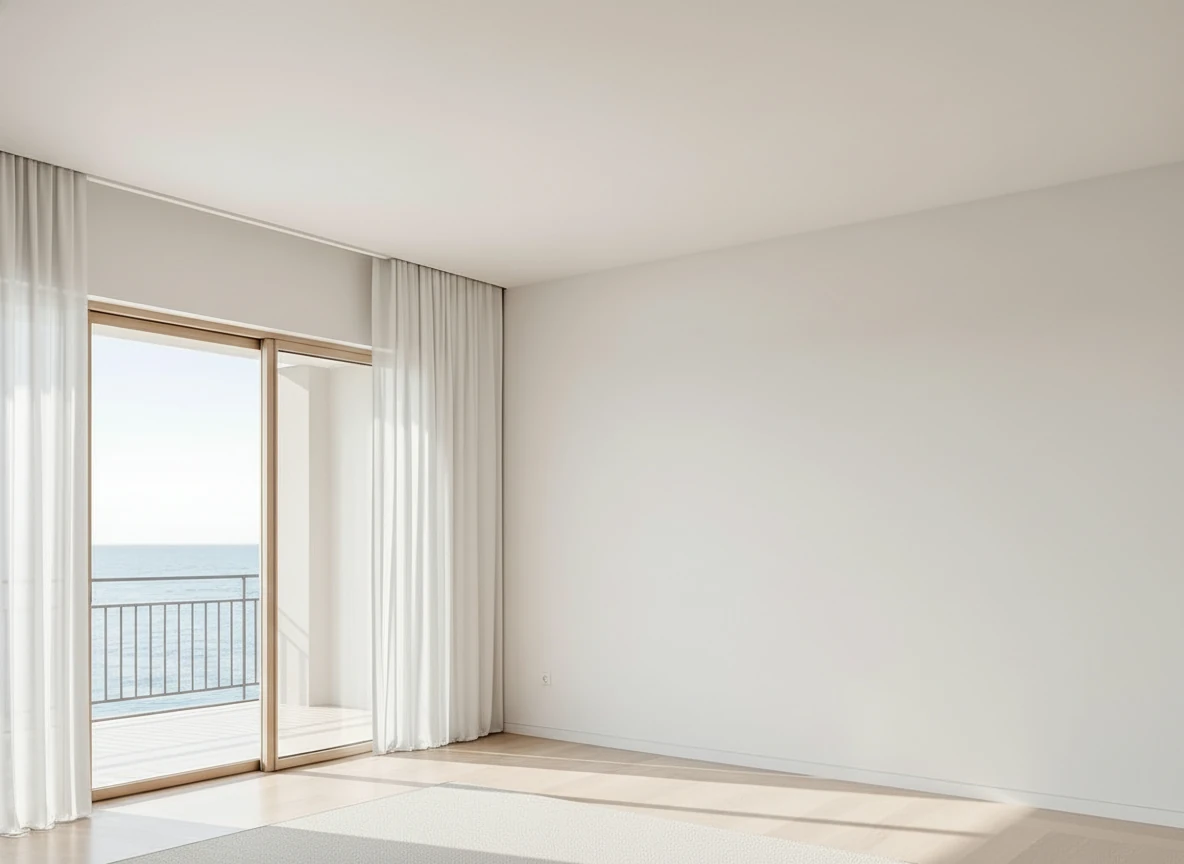
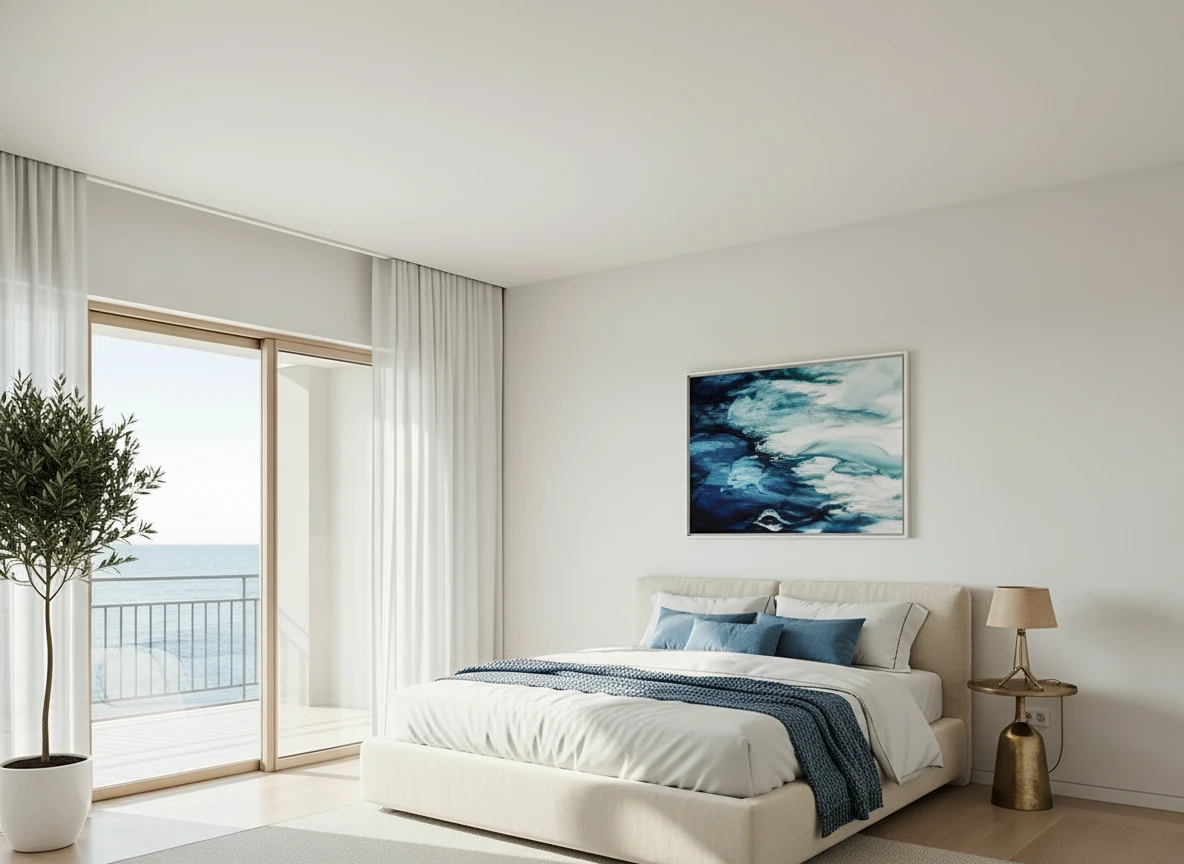
Furnish the serene bedroom with a low-profile cream platform bed centered on a large textured beige rug. Dress the bed in white linens with a soft blue throw and matching accent pillows for contrast. Place a tall potted olive tree in a white planter beside the sliding glass doors, and a small brass bedside lamp on the right. Hang a framed ocean-themed artwork above the bed to echo the seaside view. Keep floor-to-ceiling white curtains along the balcony doors, light wood flooring, and minimal decor to maintain an airy, coastal feel.
AI Virtual Staging vs Manual Virtual Staging: A Workflow Revolution
Virtual staging has evolved from a labor-intensive manual process to an AI-powered workflow transformation:
| Factor | AI Virtual Staging | Manual Virtual Staging |
|---|---|---|
| Turnaround | 30 seconds to 2 minutes | 48-72 hours |
| Cost | $0.05-$0.30 per image | $30-$75 per image |
| Revisions | Same low price, instant | $15-$25 each, +24 hours |
| Style Testing | Try 5+ styles in minutes | Commit upfront, expensive to change |
| Workflow | Self-service, real-time | Email back-and-forth, waiting |
| Quality | Photorealistic, AI-powered | Varies by designer skill |
| Pivot Capability | Reposition listing instantly with new styles | Restart process, pay again |
| Team Flexibility | Anyone can generate, no bottlenecks | Depends on designer availability |
The key difference isn't just cost—it's workflow flexibility. AI virtual staging lets you:
- Test multiple styles before committing to one
- Respond to buyer feedback immediately with different looks
- Reposition listings that aren't selling with fresh staging
- Empower your entire team to stage listings without designer dependencies
- Iterate on high-end properties with custom styles until perfect
StagerGo uses AI virtual staging to deliver professional results that enable a completely new way of working—where staging becomes an iterative, responsive process rather than a one-time commitment.
When Should You Use Virtual Staging?
Virtual staging works best in these situations:
✅ Perfect For:
- Vacant properties – Empty homes that are hard to visualize
- New construction – Unstaged model units or spec homes
- Foreclosures or distressed properties – When physical staging isn't practical
- High-volume agents – Teams processing many listings
- Tight timelines – When you need photos within days
- Budget-conscious sellers – When traditional staging is too expensive
- Testing markets – When you want to try multiple styles before committing
⚠️ Use With Caution:
- Luxury properties – High-end buyers may prefer physical staging for in-person showings
- Properties with showings – Buyers will see the real empty space (though many agents successfully use virtual staging with proper disclosure)
- Unique layouts – Very irregular spaces may require custom work
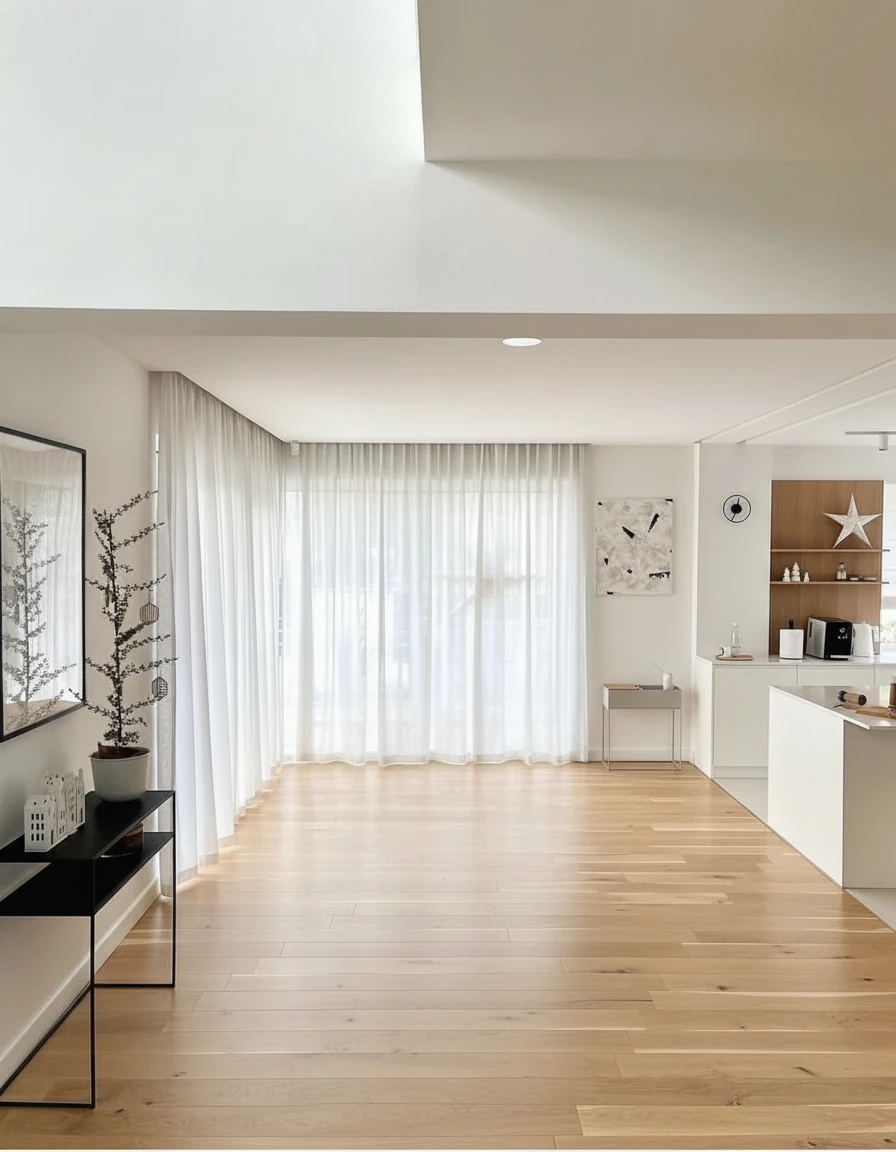
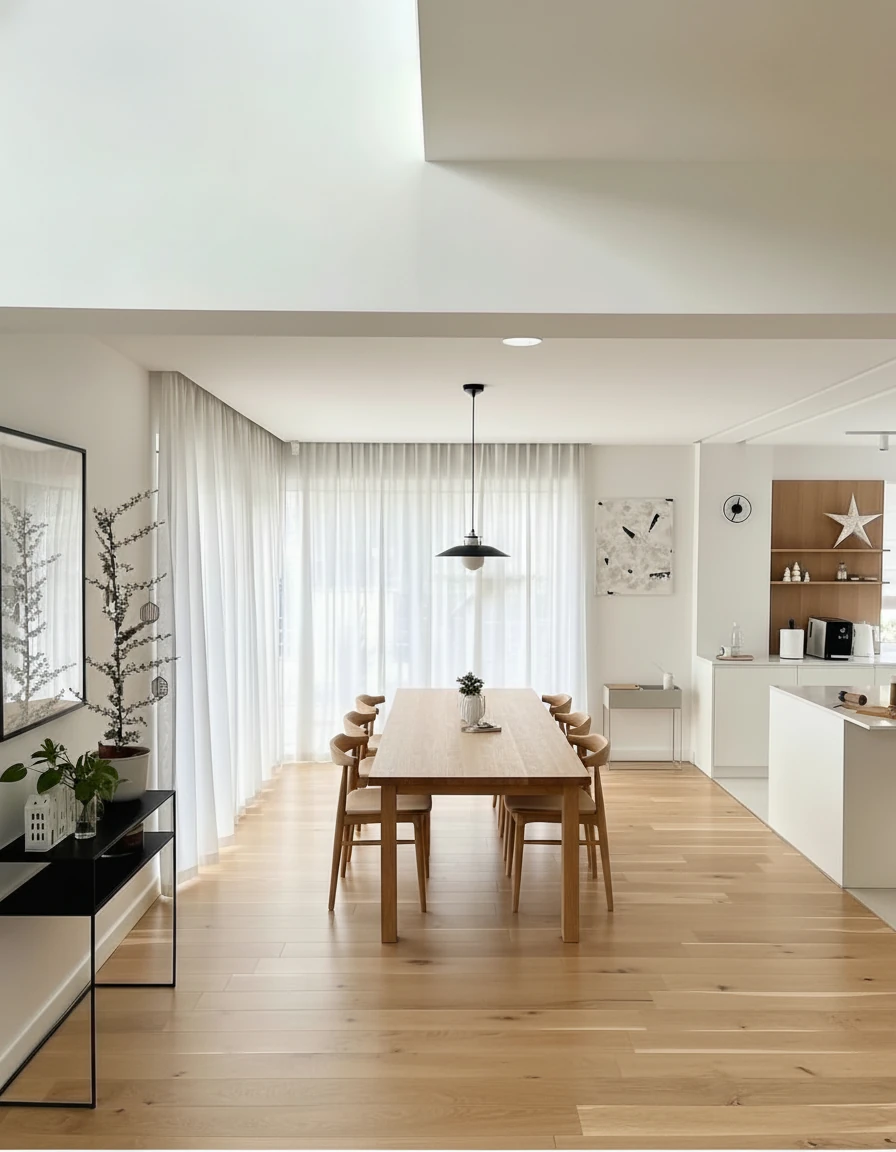
Furnish the dining area with a long natural oak dining table (3m × 1m) centered on the wooden floor, surrounded by eight matching curved-back oak chairs. Above the table, install a pair of minimalist black-and-white pendant lights aligned along the centerline. Add sheer white curtains across the full window wall for soft daylight diffusion. Place a slim black console with potted plants and small decor on the left wall, and keep the adjoining kitchen open with white cabinetry and oak shelving for a warm, cohesive look.
Is Virtual Staging Allowed? (MLS Compliance)
Yes, virtual staging is allowed by most MLS systems, but with important disclosure requirements:
MLS Rules for Virtual Staging:
- Disclosure is mandatory – Photos must be clearly marked as "Virtually Staged" in the caption or listing description
- Mix staged and unstaged – Many MLSs require including some actual vacant photos alongside staged versions
- No misrepresentation – Can't change structural elements (adding windows, removing walls, etc.)
- Follow local rules – Some states have specific disclosure language requirements
Best practice: Include a clear statement like "Photos are virtually staged to show potential" in your listing description, and alternate between virtually staged and actual photos in your MLS gallery.
Most MLS platforms treat virtual staging similarly to physical staging—it's a marketing tool that's perfectly acceptable as long as buyers aren't misled.
Virtual Staging Cost Breakdown
Pricing varies dramatically by approach, but more importantly, the workflow capabilities differ:
AI Virtual Staging (like StagerGo):
- Per image: $0.05-$0.30
- Full property (8 rooms): $4-$10
- Turnaround: 30 seconds to 2 minutes
- Revisions: Same low price per attempt
- Style changes: Instant, no extra cost
- Workflow: Self-service, test unlimited variations
Key advantage: Not just 99% cheaper—you can pivot your listing strategy based on market feedback without restarting the entire process.
Manual Virtual Staging Services:
- Per image: $30-$75
- Full property: $240-$600
- Turnaround: 48-72 hours
- Revisions: 1 included, then $15-25 each (+24 hours)
- Style changes: Essentially starting over ($20-40 fee)
- Workflow: Email requests, wait, revise, wait again
Main limitation: Once you commit to a style, changing direction is expensive and time-consuming.
Physical Traditional Staging (different market segment):
- Average property: $2,000-$5,000
- Luxury homes: $5,000-$15,000+
- Duration: 30-90 days (rental period)
- Use case: In-person showing impact
Note: Physical staging serves a different purpose (tangible in-person experience) and isn't a direct competitor to virtual staging services.
For most residential listings, AI virtual staging offers the optimal combination: professional quality + instant iteration + market responsiveness at a fraction of traditional virtual staging costs.
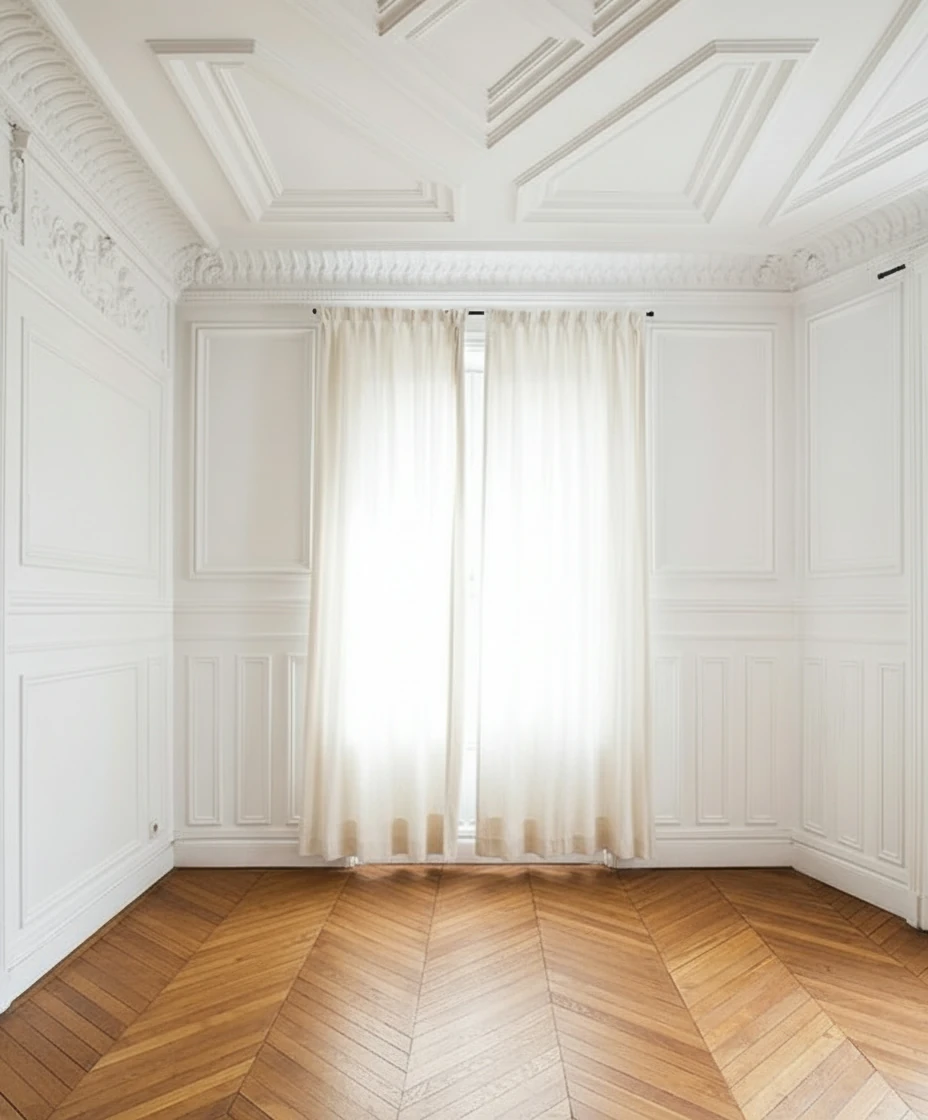
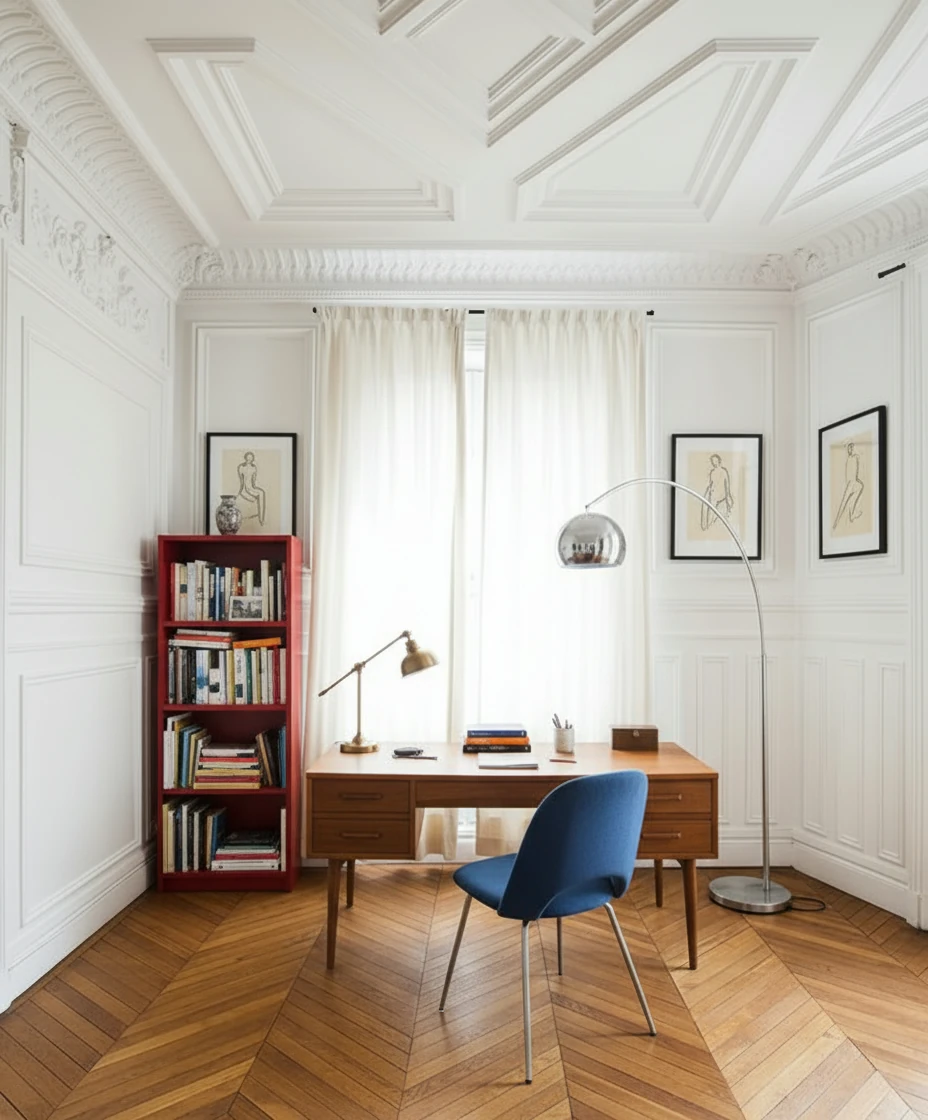
Furnish the study with a mid-century wooden desk centered in front of tall, cream-draped windows, paired with a blue-upholstered chair featuring metal legs. Place a vintage desk lamp and neatly arranged books and stationery on the desk. To the left, add a red open bookshelf filled with books and decorative objects. Include a tall arched chrome floor lamp curving over the desk for dramatic lighting. Hang two framed figure drawings symmetrically on either side of the window. Keep the ornate white paneled walls and chevron wood floor exposed for a refined Parisian atmosphere.
Common Virtual Staging Questions
Does virtual staging help sell homes?
Yes—staged homes (physical or virtual) sell 73% faster and often for 5-10% more than unstaged properties according to industry studies. But AI virtual staging adds another advantage: market responsiveness. If your listing isn't getting traction with one style, you can pivot to a different aesthetic in minutes, not days or weeks. This flexibility often means finding the right buyer-property match faster.
Can buyers tell it's virtually staged?
When properly disclosed, buyers understand and appreciate virtual staging. Studies show that 87% of buyers find staged photos helpful even when they know the staging is digital. The key is clear disclosure.
What happens at showings?
Buyers see the actual empty space. Smart agents manage expectations by:
- Clearly disclosing virtual staging in listings
- Providing both staged and unstaged photos
- Emphasizing the space's potential
- Some agents bring printed staged photos to showings
How realistic does virtual staging look?
Modern AI virtual staging is photorealistic—professional photographers often can't tell the difference. The key quality indicators are:
- Proper lighting and shadows
- Correct perspective and scale
- Realistic textures
- Appropriate furniture for the space
How to Get Started with Virtual Staging
Ready to virtually stage your listings? Here's the fastest path:
- Take quality photos – Shoot straight, level images with good lighting
- Choose a platform – AI platforms like StagerGo offer instant results
- Select room types and styles – Specify what each room should be (living room, bedroom) and design style (modern, traditional)
- Review and download – Get your staged images within minutes
- Upload to MLS – Add proper disclosure and mix with actual photos
Most agents complete a full property in 15-30 minutes.
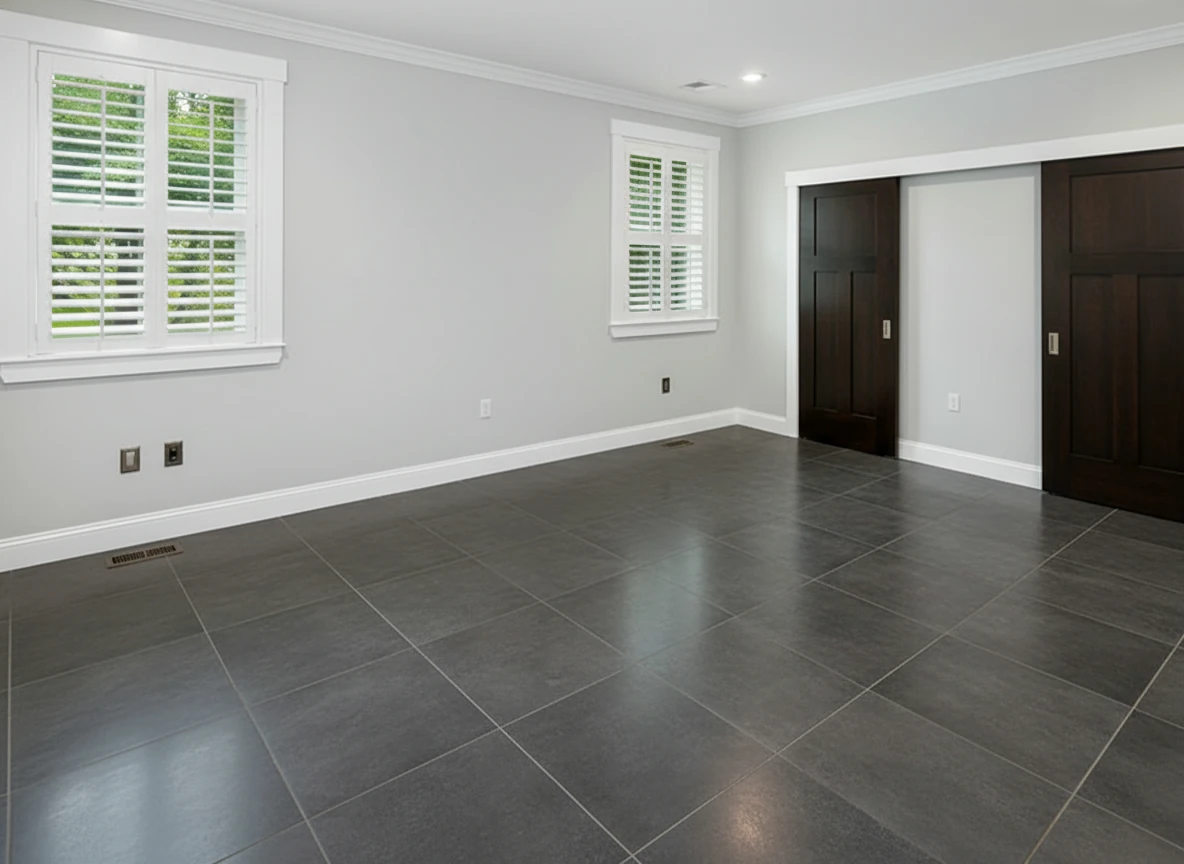
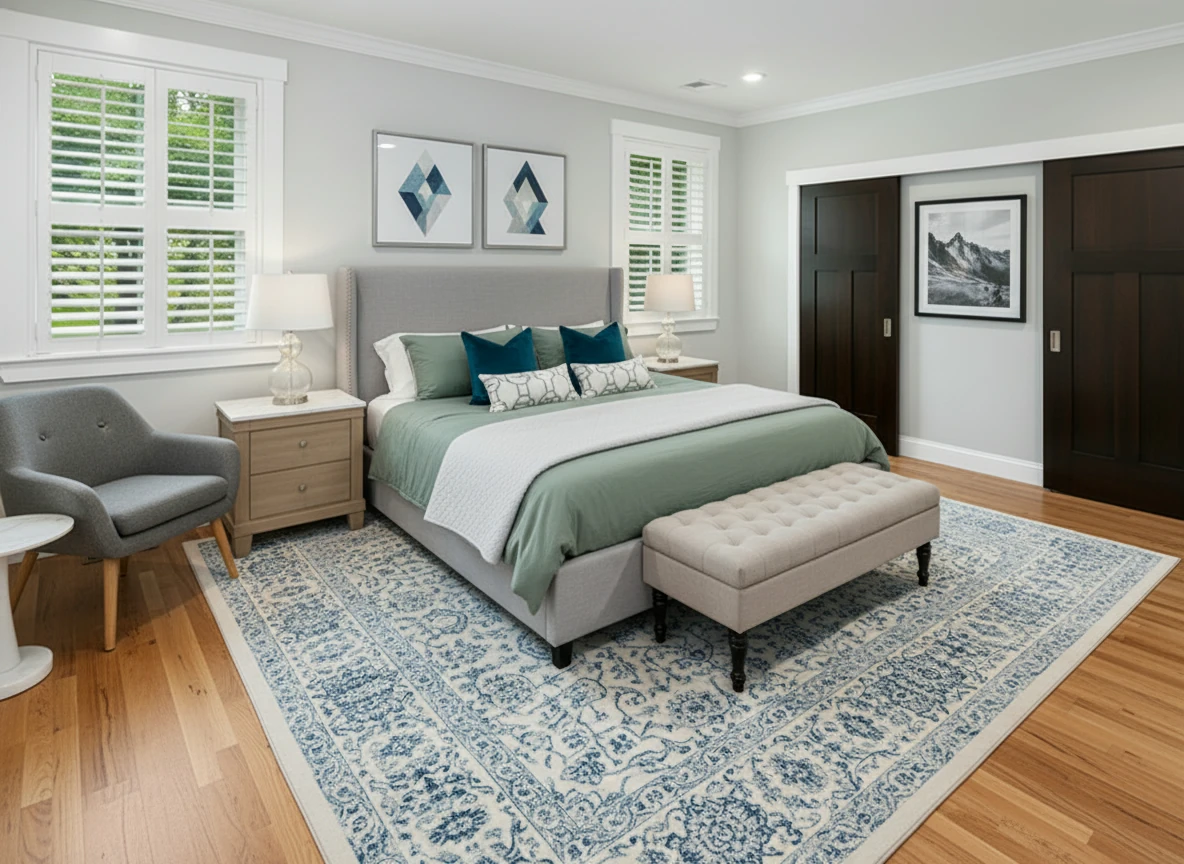
Furnish the bedroom with a soft gray upholstered bed centered on a patterned blue-and-white rug, dressed in sage bedding, two dark teal accent pillows, and geometric white bolster pillows. Add matching light oak nightstands with white tops and glass-base lamps on each side. Place a tufted beige bench at the foot of the bed. Include a gray lounge chair with wooden legs and a white round side table in the left corner. Hang two geometric art prints above the headboard and one black-and-white mountain print on the right wall. Keep light gray walls, white trim, and natural wood flooring for a bright, calm atmosphere.
Virtual Staging Best Practices
To get the best results from virtual staging:
Photography Tips:
- Shoot at 24mm-35mm focal length
- Use natural light when possible
- Keep walls straight and level
- Shoot from room entry points
- Remove obvious clutter first
Staging Strategy:
- Match the neighborhood's style expectations
- Don't over-furnish—leave space for movement
- Use neutral colors for broad appeal
- Stay consistent across all rooms
- Include lifestyle touches (books, plants, accessories)
MLS Strategy:
- Start gallery with strongest staged photo
- Alternate staged and actual photos
- Use "Virtually Staged" watermark or caption
- Include disclosure in listing description
- Save original unstaged photos for disclosure compliance
Virtual Staging vs Other Options
Understanding how virtual staging compares to alternatives:
Virtual Staging vs Traditional Staging
| Factor | Virtual | Physical |
|---|---|---|
| Cost | $1-$25 | $2,000-$5,000 |
| Timeline | Minutes | 2-4 weeks |
| Best for | Online marketing | In-person showings |
| Flexibility | Instant changes | Requires restaging |
Best approach: Many agents use virtual staging for online marketing, then consider physical staging only for high-end properties with lots of in-person traffic.
Virtual Staging vs Vacant Photos
Vacant photos work when:
- Buyers have strong visualization skills (rare)
- Property is in a hot market
- Space is small and simple
Virtual staging works better when:
- Property has been listed for 2+ weeks vacant
- Rooms are large or oddly shaped
- You're in a competitive market
- Online presentation is crucial
How AI Virtual Staging Changes Your Workflow
The real transformation isn't just about cost—it's about how you work:
Traditional Manual Virtual Staging Workflow:
- Photograph property
- Select best shots
- Email to staging service with style brief
- Wait 48-72 hours
- Receive staged images
- Request revisions (if needed, +$15-25 each, +24 hours)
- Wait again
- Publish to MLS
- If listing doesn't perform: Start over with new style (expensive, slow)
Total time: 3-5 days minimum, locked into initial style choices
AI Virtual Staging Workflow:
- Photograph property
- Upload to AI platform
- Generate 3-5 style variations in 5 minutes
- Test responses with colleagues/clients
- Regenerate with adjustments instantly
- Publish to MLS same day
- If listing doesn't perform: Try different styles immediately (same low cost)
Total time: Same day, with built-in flexibility
Real-World Workflow Benefits:
For solo agents:
- No bottlenecks waiting for designers
- Stage listings the same day you shoot
- Respond to broker feedback immediately
- Test luxury vs contemporary based on showing comments
For teams:
- Any team member can generate staging
- No designer scheduling conflicts
- Consistent quality across all agents
- Rapid response to market changes
For high-end listings:
- Iterate on custom looks until perfect
- Show seller multiple options before choosing
- Adjust based on first-week feedback
- No fear of "getting it wrong" upfront
The key insight: AI virtual staging isn't just "cheaper manual staging"—it's a fundamentally different workflow that enables market responsiveness impossible with traditional services.
Next Steps: Try Virtual Staging
Virtual staging has evolved from a niche tool to a standard practice in modern real estate marketing. AI-powered platforms like StagerGo make it accessible to any agent or seller who wants to showcase their property's potential effectively—and pivot strategy based on market response.
Ready to stage your first listing? Try our AI virtual staging tool below. Upload a photo, choose your style, and see results in under a minute. Try multiple styles. See what resonates.
Related Resources
- How Virtual Staging Works – Detailed technical workflow
- Virtual Staging vs Physical Staging – Complete comparison
- Virtual Staging Pricing Guide – Cost breakdown
- Virtual Staging Service – Professional AI staging tool