If your team is using AI room design for listing photos, the real challenge is not getting one pretty result—it is producing repeatable, on-brand visuals across many rooms, fast. This guide shows a practical workflow to go from empty or minimally furnished rooms to market-ready images that match your listing style standards.
For most teams, the win comes from combining clear style constraints, fast iteration, and a lightweight QA gate before publishing.

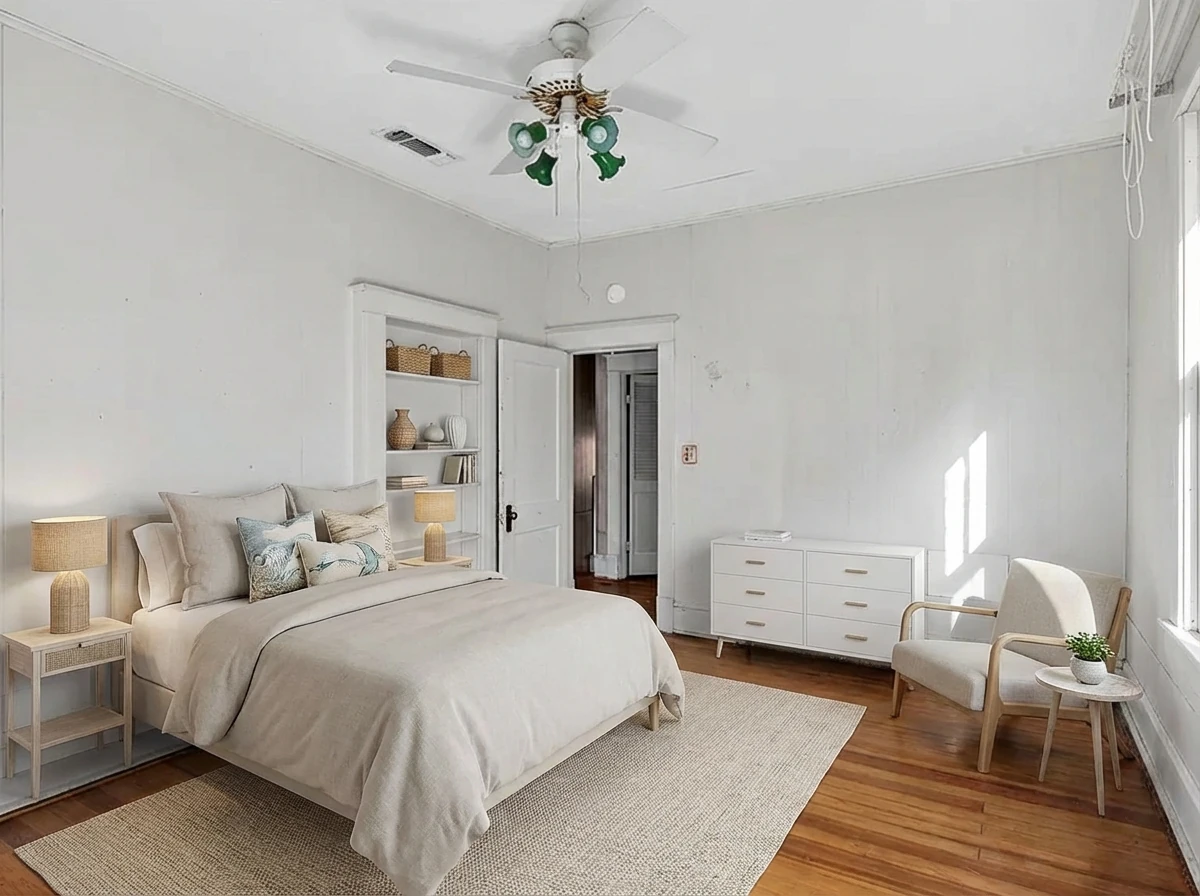
Virtual Staging • Coastal • Bedroom
Quick decision matrix: speed, control, and consistency
| Priority | What to optimize | Practical recommendation |
|---|---|---|
| Speed to publish | Turnaround and retry speed | Use AI-first generation with fixed room/style presets |
| Brand consistency | Visual identity across listings | Define a style rubric (palette, furniture density, staging tone) |
| Accuracy/compliance | Realistic representation | Add a final manual QA pass for room geometry and fixtures |
A practical 4-step AI room design workflow
1) Define your style guardrails first
Before generation, align your team on:
- Room purpose (family listing, modern condo, premium resale)
- Style direction (modern, Scandinavian, transitional)
- Density rules (minimal, medium, high furniture fill)
- Listing constraints (features that must stay visible)
This avoids random output drift and shortens revision cycles.
2) Generate a controlled variant set
Produce 2-4 variants per room with the same base constraints. Keep prompt language consistent so differences are intentional (layout emphasis, mood, furniture set) rather than chaotic.
For ops teams, this is where AI furniture placement delivers real leverage: you can compare options in minutes instead of waiting on long back-and-forth edits.
3) Run output QA before publication
Check each candidate against a simple rubric:
- Does the result preserve room geometry and fixed elements?
- Is furniture scale plausible for the space?
- Does the style match your brand and target buyer profile?
- Are there visual artifacts that could reduce trust?
If any check fails, regenerate with tighter constraints instead of publishing a “close enough” image.
4) Publish with consistency across the listing set
Choose one winning direction and keep it consistent across key rooms (living, primary bedroom, dining, office). Consistency improves perceived listing quality and reduces visual noise in galleries.
Where AI room design helps most in listing workflows
- Pre-listing refresh: quickly stage vacant spaces for listing launch
- Portfolio consistency: standardize look-and-feel across team listings
- Client communication: show style directions early for faster approvals
- Marketing velocity: produce social and listing-ready variants without long turnaround delays
If you are comparing tools, start with this benchmark guide: best virtual staging companies. For fundamentals, review what virtual staging is.
Common mistakes that reduce conversion impact
- Style inconsistency across rooms
- Creates a fragmented buyer experience.
- Over-staging that feels unrealistic
- Can trigger distrust when buyers visit in person.
- Skipping QA on artifacts
- Minor rendering issues can make the listing feel low quality.
- No brand-level staging standard
- Teams cannot scale quality without shared criteria.
CTA: ship on-brand visuals faster
If your team wants predictable output quality and quick iteration, start with a repeatable AI room design workflow and enforce a short QA gate before publishing.
Try StagerGo for AI room design workflows
FAQ
Is AI room design suitable for high-end listings?
Yes, when teams enforce stricter QA and style controls. For luxury properties, use tighter prompt constraints and review every output for realism and fit.
How many variants should we generate per room?
Most teams get good coverage with 2-4 variants per room. More than that often adds review overhead without improving decision quality.
Does AI furniture placement replace human staging entirely?
Not always. AI is strongest for speed and iteration. Human review is still important for final compliance, realism checks, and brand polish.
How do we keep AI-generated rooms on-brand?
Create a shared style rubric (palette, furniture density, tone, buyer profile) and apply the same rubric across every room in the listing.
What is the biggest quality risk?
Publishing outputs without a reality check. Always validate geometry, fixture integrity, and artifact quality before going live.