If you are evaluating AI furniture placement for listing photos, the key question is not “Can AI stage a room?”—it is “Can we stage consistently across empty and occupied rooms without losing trust?” This guide gives a practical workflow for both scenarios, so your team can move from raw photos to publish-ready visuals with fewer revision cycles.
For most real-estate teams, reliable outcomes come from three things: room-readiness checks, structure-preserving prompts, and a strict final QA pass.

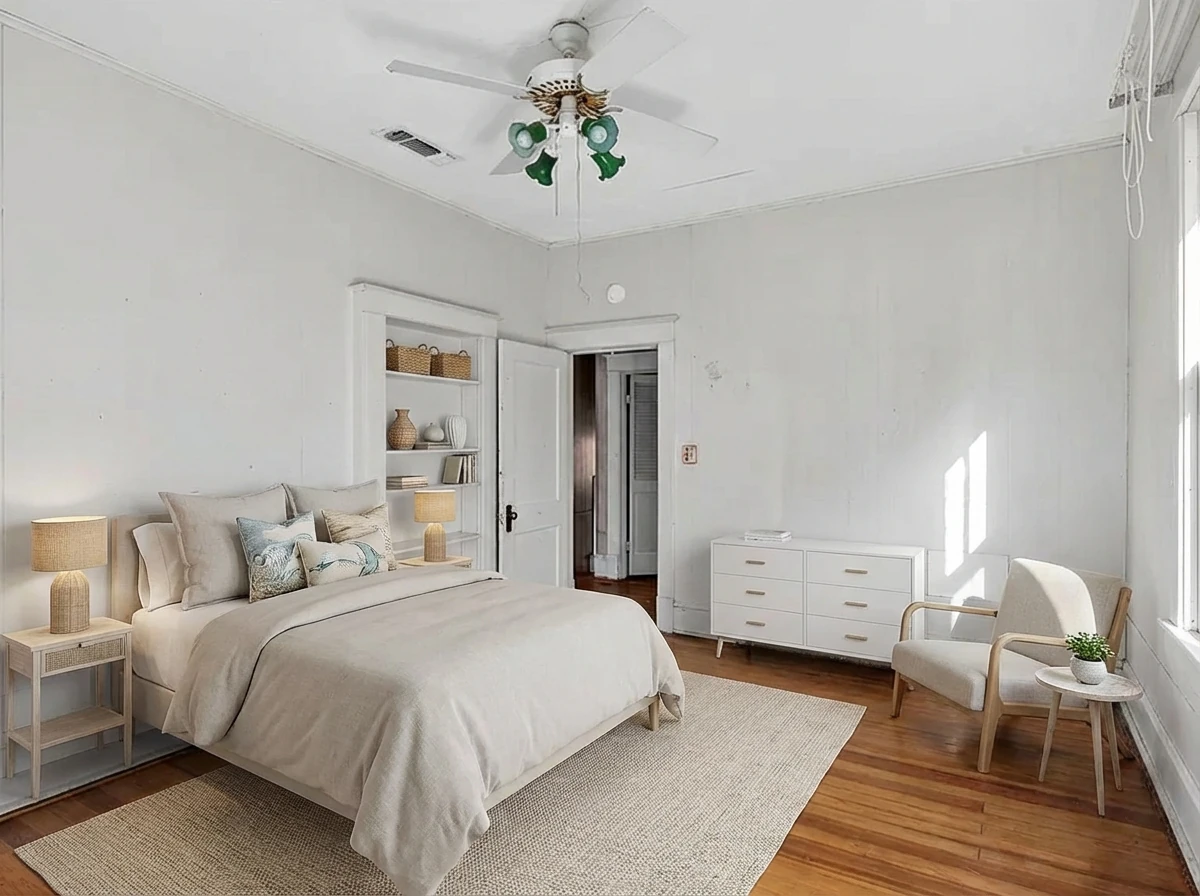
Virtual Staging • Coastal • Bedroom
Empty vs occupied room: quick workflow matrix
| Room condition | Main risk | Best first step | QA priority |
|---|---|---|---|
| Empty room | Generic or overdesigned output | Set target buyer/style + preserve architecture constraints | Furniture scale realism |
| Occupied room | Artifacting from existing furniture removal | Declutter/remove phase before staging | Geometry + fixture integrity |
Step 1: Run a room-readiness check before generation
For empty rooms
- Confirm natural light and room boundaries are clearly visible.
- Keep key selling features unobstructed (windows, fireplace, built-ins).
- Pick one style direction per listing to avoid visual inconsistency.
For occupied rooms
- Identify large objects that can confuse model placement (bulky sectionals, mirrors, clutter piles).
- Decide whether to preserve, replace, or remove existing pieces before staging.
- Flag fixed architectural elements that must stay unchanged.
This up-front check reduces low-quality retries and prevents “technically generated, but not market-ready” outputs.
Step 2: Use constraint-first prompting for realistic layouts
For AI room design in real estate, high-performing prompts include:
- Room function: primary bedroom, living room, office, etc.
- Style + density: modern minimal, transitional medium-density, coastal airy, etc.
- Preservation constraints: do not alter windows, doors, wall geometry, or fixed lighting.
- Listing intent: MLS-ready, natural exposure, realistic textures.
A good rule: keep prompt language stable and only change one variable per retry (style, density, or focal layout).
Step 3: Apply a two-gate QA check before publishing
Gate A — Structural integrity
- Doors and windows remain aligned and unobstructed.
- Wall/floor geometry is preserved.
- Built-ins and fixed fixtures are not hallucinated away.
Gate B — Marketing realism
- Furniture proportions fit the room.
- Styling matches target buyer and price band.
- No visible artifacts (floating edges, warped legs, lighting mismatch).
If either gate fails, regenerate with tighter constraints instead of publishing a “close enough” image.
Practical rollout: how teams use this in production
A repeatable production cycle:
- Batch photos by room type and listing tier.
- Apply one approved style rubric per listing.
- Generate 2-4 variants per room.
- Select winner with the two-gate QA checklist.
- Publish with consistent style across key rooms.
This approach keeps turnaround fast while protecting brand quality and buyer trust.
For broader context, review AI Virtual Staging and this on-brand workflow guide: AI Room Design: How to Generate On-Brand Listing Visuals.
Common mistakes in AI furniture placement
- Skipping room-readiness checks
- Leads to avoidable artifacts and expensive revisions.
- Changing too many prompt variables at once
- Makes quality troubleshooting harder.
- No occupied-room prep stage
- Increases geometry and object-removal errors.
- Inconsistent styles across one listing
- Reduces perceived professionalism in gallery view.
CTA: Ship listing-ready room visuals faster
If you want faster staging cycles without sacrificing realism, use a constraint-first workflow and enforce QA gates before every publish.
Try StagerGo for AI furniture placement workflows
FAQ
Is AI furniture placement better for empty or occupied rooms?
Both can work well. Empty rooms are usually faster, while occupied rooms need stronger prep and QA because object-removal artifacts are more common.
How many output variants should we generate per room?
Most teams get strong coverage with 2-4 variants. More than that often increases review time without improving decisions.
What should never change in a staged output?
Core architectural elements: room geometry, doors, windows, and fixed fixtures. These are critical for listing trust and compliance.
Can AI furniture placement support renovation-style previews?
Yes, especially for concept previews. Keep claims precise and label visuals as virtually staged when required by your market or brokerage policy.
What is the fastest way to improve output quality?
Tighten constraints, standardize style rubrics, and enforce a binary QA pass/fail gate before publication.